# STATSML 400: Data Distiller Basic Statistics Functions

## Prerequisites

You need to ingest the CSV file below using the following tutorial:

{% content-ref url="../prep-500-ingesting-csv-data-into-adobe-experience-platform" %}
[prep-500-ingesting-csv-data-into-adobe-experience-platform](https://data-distilller.gitbook.io/adobe-data-distiller-guide/prep-500-ingesting-csv-data-into-adobe-experience-platform)
{% endcontent-ref %}

## Overview

To demonstrate the use of statistical functions in a marketing domain dataset, let's generate a dataset representing **customer transactions and campaign performance**. The dataset includes information about customer purchases, campaign engagement, and customer demographics. Then, I'll provide SQL examples for each statistical function along with a suitable use case.

When you ingest this dataset, make sure you name it as **`marketing_campaign_data`**

{% file src="<https://1899859430-files.gitbook.io/~/files/v0/b/gitbook-x-prod.appspot.com/o/spaces%2FEhcgqFIfGdE0GXJzi5yR%2Fuploads%2FG6LHRWeUulL0nmd5koVr%2Fmarketing_campaign_data.csv?alt=media&token=ec6e9d75-59b4-4c29-b667-3f1d38692b5f>" %}

The dataset is related to a marketing campaign and contains the following columns:

1. **customer\_id**: A unique identifier for each customer.
2. **campaign\_id**: The identifier for the marketing campaign the customer participated in.
3. **purchase\_amount**: The amount of money the customer spent during the campaign.
4. **engagement\_score**: A score indicating the level of customer engagement in the campaign.
5. **age**: The age of the customer.
6. **clv (Customer Lifetime Value)**: An estimated value of the customer's future spending.

## **Average (`avg`)**

"Average" typically refers to the **mean**, which is the sum of all values in a dataset divided by the number of values. It represents a measure of central tendency, indicating the central point of a dataset. The mean provides a summary of the data by finding a single value that represents the overall level of all observations.

To calculate the mean, you add up all the data points and divide by the total number of points. For example, if you have a dataset of five numbers: 4, 8, 6, 5, and 7, the mean would be (4+8+6+5+7)/5=6.

The mean is useful for understanding the overall trend of numerical data, but it can be sensitive to outliers, which are values significantly higher or lower than the others. Unlike the median (middle value) or the mode (most frequent value), the mean takes into account all data points when summarizing the dataset.

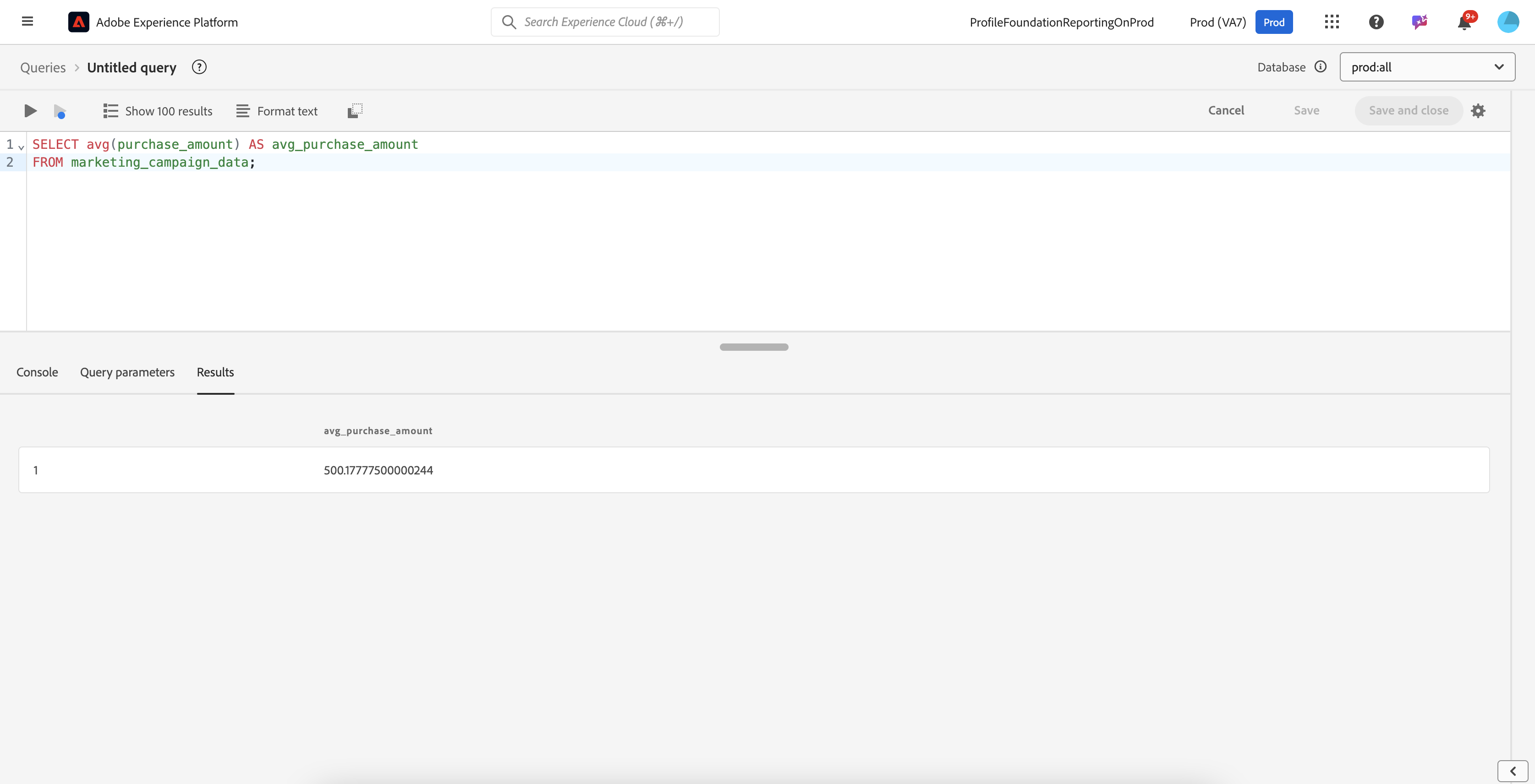
Let us calculate the average purchase amount to assess the overall customer spend.

```sql
SELECT avg(purchase_amount) AS avg_purchase_amount
FROM marketing_campaign_data;
```

<figure><img src="https://1899859430-files.gitbook.io/~/files/v0/b/gitbook-x-prod.appspot.com/o/spaces%2FEhcgqFIfGdE0GXJzi5yR%2Fuploads%2FzQdAaTEw7QoOcHCDtFai%2FScreen%20Shot%202024-10-21%20at%2010.04.03%20AM.png?alt=media&#x26;token=4fca0b3e-c368-4c93-8211-843c74ad2c91" alt=""><figcaption><p>Results of the above query</p></figcaption></figure>

## **Sum (`sum`)**

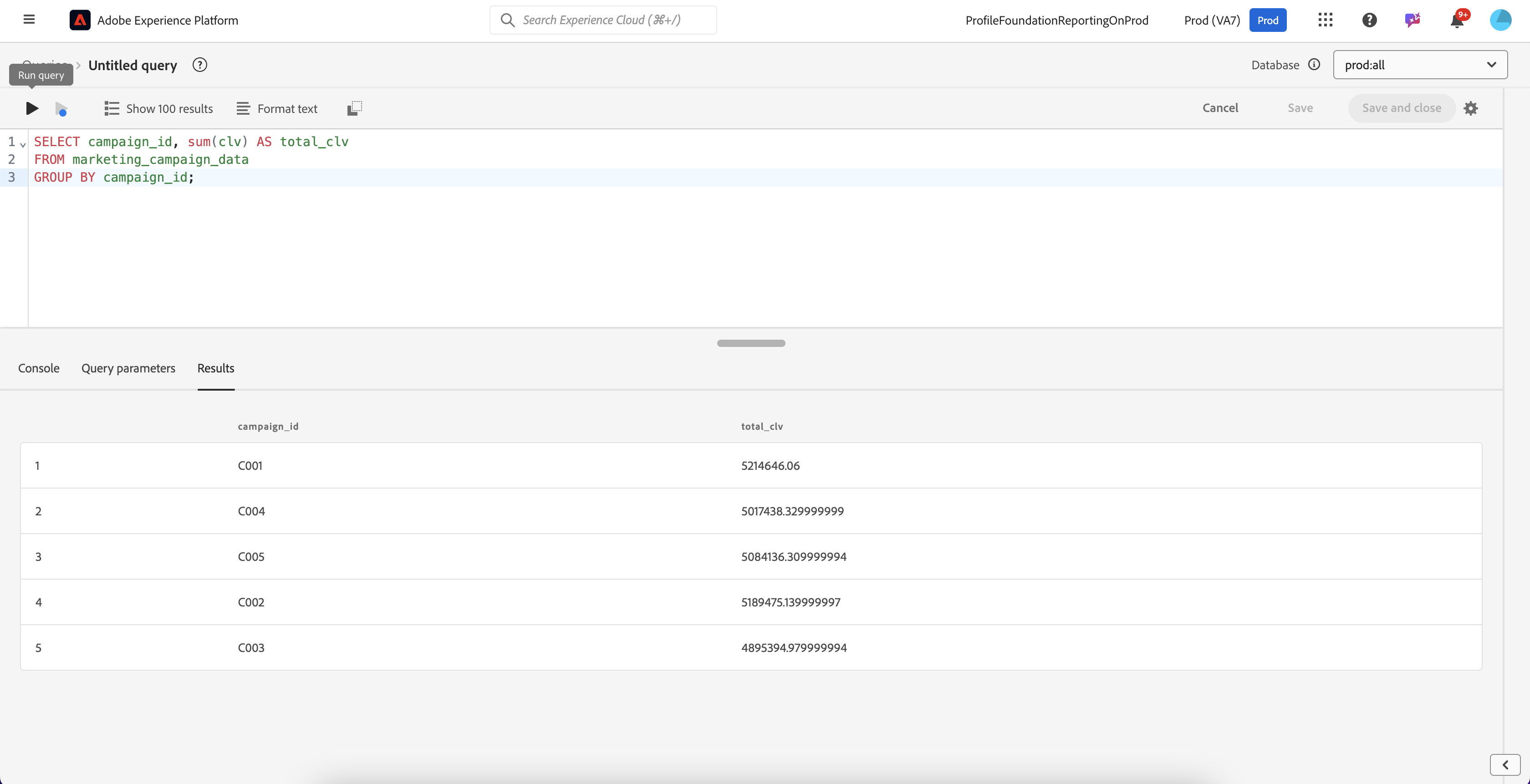
Let us calculate the total customer lifetime value (CLV) for all customers engaged in a specific campaign.

```sql
SELECT campaign_id, sum(clv) AS total_clv
FROM marketing_campaign_data
GROUP BY campaign_id;
```

<figure><img src="https://1899859430-files.gitbook.io/~/files/v0/b/gitbook-x-prod.appspot.com/o/spaces%2FEhcgqFIfGdE0GXJzi5yR%2Fuploads%2FYOVOjqDdjE9y6WOXGw8p%2FScreen%20Shot%202024-10-21%20at%2010.04.54%20AM.png?alt=media&#x26;token=d276d794-18e8-4287-9133-1ae37dd597f8" alt=""><figcaption><p>Results of the above query</p></figcaption></figure>

## **Min/Max (`min`, `max`)**

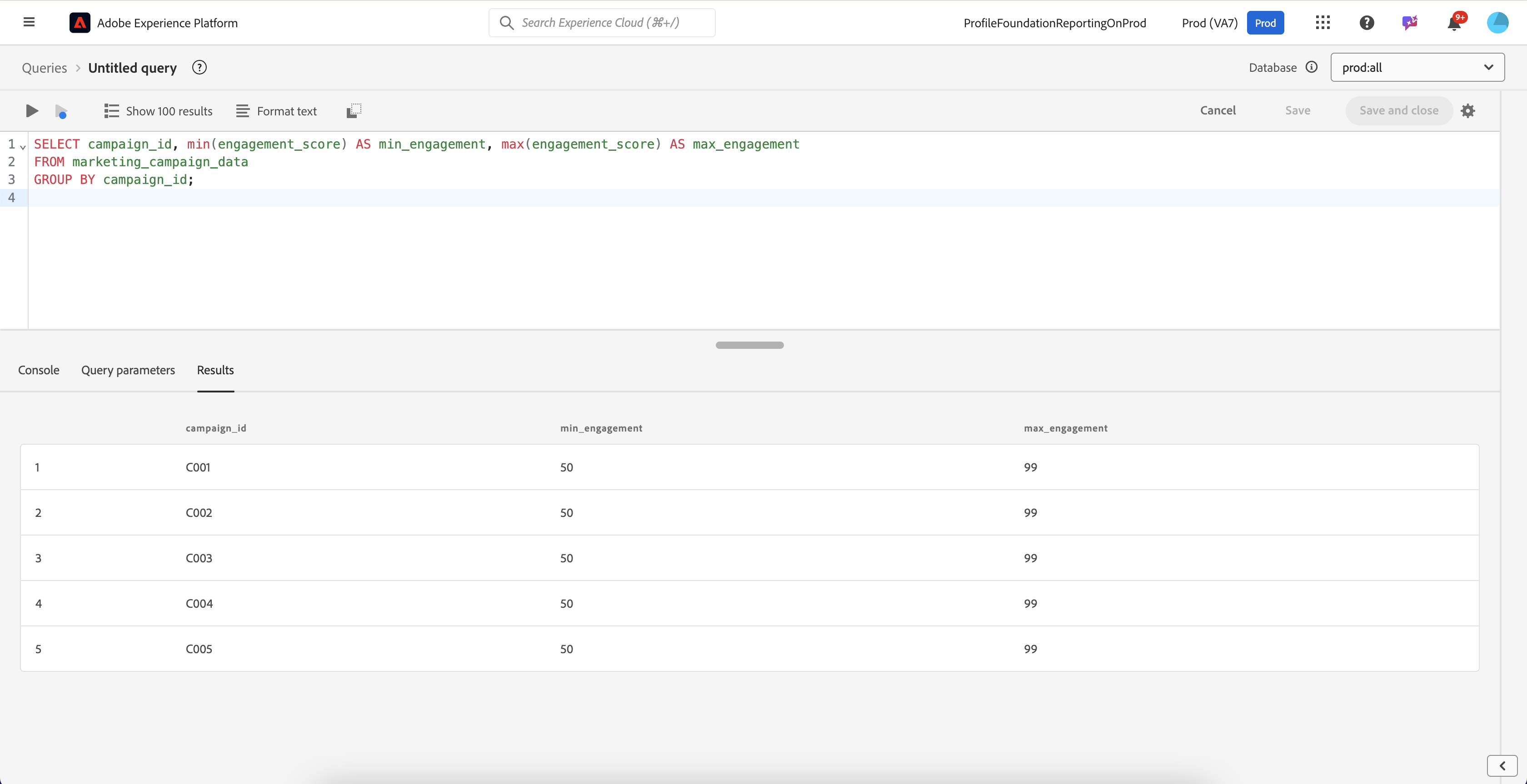
Let us identify the minimum and maximum customer engagement scores for a campaign to gauge campaign effectiveness.

{% code overflow="wrap" %}

```sql
SELECT campaign_id, min(engagement_score) AS min_engagement, max(engagement_score) AS max_engagement
FROM marketing_campaign_data
GROUP BY campaign_id;
```

{% endcode %}

<figure><img src="https://1899859430-files.gitbook.io/~/files/v0/b/gitbook-x-prod.appspot.com/o/spaces%2FEhcgqFIfGdE0GXJzi5yR%2Fuploads%2FpsqFg4jqFKpWWfGenTPu%2FScreen%20Shot%202024-10-21%20at%2010.05.33%20AM.png?alt=media&#x26;token=e566d9b5-125d-48c5-80a1-591792f99579" alt=""><figcaption><p>Results of the above query</p></figcaption></figure>

## **Standard Deviation (`stddev/stddev_pop/stddev_samp`)**

In statistics, "standard deviation" is a measure of the dispersion or spread of a set of values around the mean (average). It indicates how much individual data points deviate, on average, from the mean. A low standard deviation means that the data points tend to be close to the mean, while a high standard deviation indicates that the data points are spread out over a wider range.

Standard deviation is calculated as the square root of the variance, which is the average of the squared deviations from the mean. It is commonly used in various fields to assess the variability or consistency of data. Unlike the mean (central value) and the median (middle value), the standard deviation focuses on the extent of variation or dispersion in the dataset.

Note that the **`stddev`** function is an alias for **`stddev_samp`**. It calculates the **sample standard deviation**, using **`N−1`** as the divisor (where **`N`** is the total number of data points). This adjustment is known as Bessel's correction, and it accounts for the bias in estimating the population standard deviation from a sample. **`stddev_pop`** computes the population standard deviation. It uses **`N`** as the divisor, treating the data as the entire population.

The **`stddev/stddev_samp`** is computed as<br>

$$
\text{stddev\_samp} = \sqrt{\frac{1}{N-1} \sum\_{i=1}^{N} (x\_i - \bar{x})^2}
$$

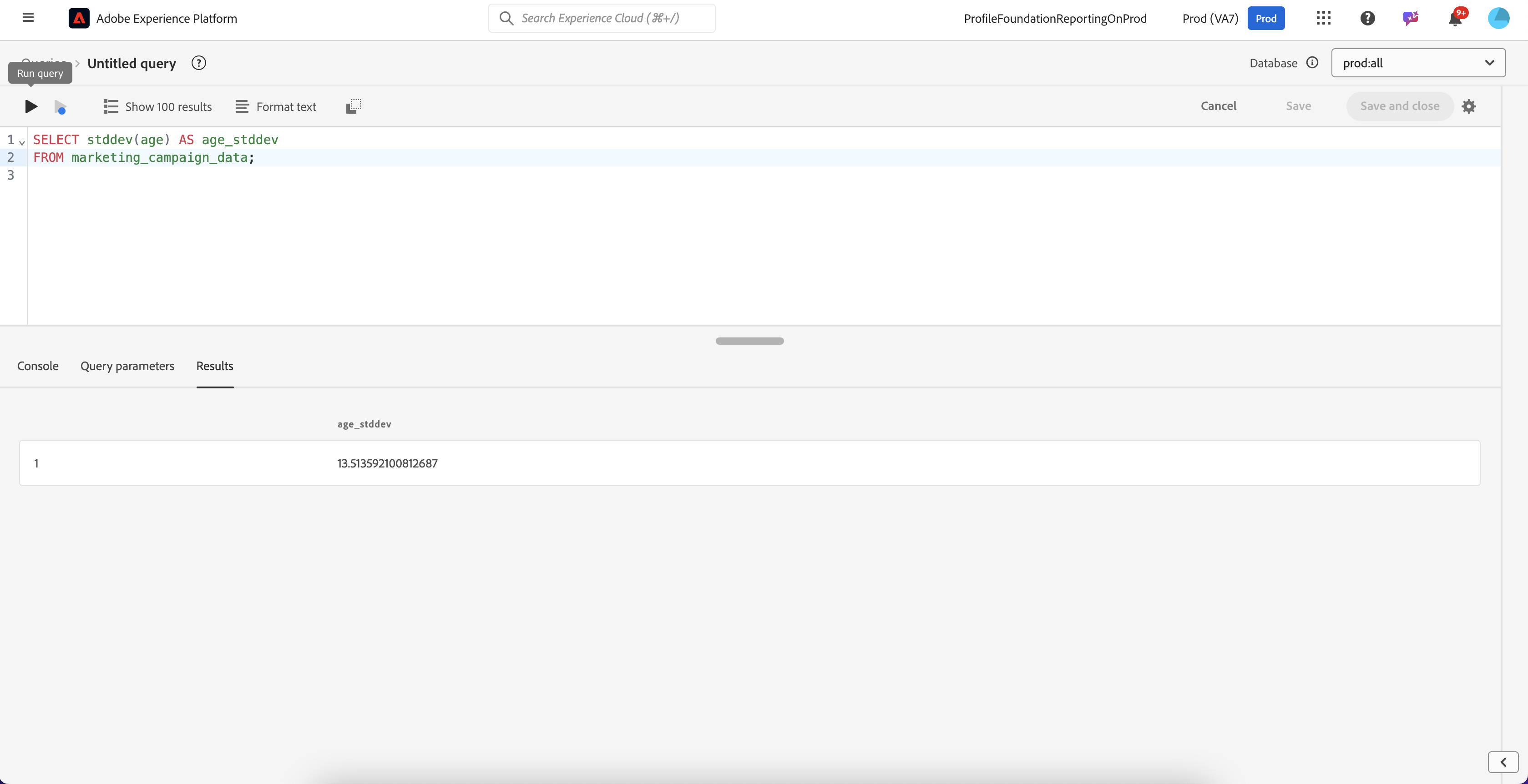
Let us measure the variability in customer age to assess the diversity of your customer base:

```sql
SELECT stddev(age) AS age_stddev
FROM marketing_campaign_data;
```

<figure><img src="https://1899859430-files.gitbook.io/~/files/v0/b/gitbook-x-prod.appspot.com/o/spaces%2FEhcgqFIfGdE0GXJzi5yR%2Fuploads%2FGOtE706lX8i1eMIJ9FDa%2FScreen%20Shot%202024-10-21%20at%2010.07.17%20AM.png?alt=media&#x26;token=e5c3445a-77c5-4222-90c4-807a4f79a743" alt=""><figcaption><p>Results of the above query</p></figcaption></figure>

The above sample computation is very useful when you need to construct a **confidence interval** for the mean of a dataset, you need to use the sample standard deviation along with other statistical elements, such as:

1. **Sample Mean:** The average of the sample data.

$$
\bar{x} = \frac{1}{N} \sum\_{i=1}^{N} x\_i
$$

2. **Standard Error of the Mean (SE)**: Calculated as&#x20;

$$
SE = \frac{\text{stddev\_samp}}{\sqrt{N}}
$$

3. **Critical Value (z-score or t-score)**: Depends on the desired confidence level (e.g., 1.96 for 95% confidence if using the normal distribution).

The confidence interval is then calculated as:

$$
\bar{x} \pm (\text{Critical Value} \times SE)
$$

#### Population Standard Deviation (**`stddev_pop)`**

Whether a dataset is considered a population or a sample depends on the context and the scope of the analysis. When the dataset includes all possible observations relevant to the study, it is considered a population. For example, if you have the entire customer base of a company and want to analyze their spending habits, that dataset would be treated as the population. In this case, the population standard deviation (**`stddev_pop`**) is used because the data represents the entire group, and no adjustments are necessary.

On the other hand, a dataset is considered a sample when it is a subset of the population, meant to represent a larger group. For instance, if you survey 1,000 customers out of a larger group of 100,000 to understand general customer preferences, this dataset would be considered a sample. In such cases, the sample standard deviation (`stddev_samp`) is used because an adjustment is needed to account for the fact that the data is only a subset. This adjustment, known as Bessel's correction, compensates for potential bias when estimating the population characteristics from the sample.

The distinction between population and sample also depends on the context in which the data was collected. If the data was gathered through a survey, experiment, or sampling process, it is generally treated as a sample. Additionally, if the goal of the analysis is to make inferences about a larger group beyond the dataset itself, it should be considered a sample. Even if the dataset is large, it may still be a sample if it does not cover all possible observations. Conversely, small datasets can be populations if they include every relevant case. In practice, data is most often treated as a sample, as it is rare to have data for the entire population.

{% hint style="info" %}
In most practical scenarios, data is treated as a sample because it's rare to have data for the entire population.
{% endhint %}

This gives the range in which the true population mean is likely to fall with the specified level of confidence.

The formula is:

$$
\text{stddev\_pop} = \sqrt{\frac{1}{N} \sum\_{i=1}^{N} (x\_i - \mu)^2}
$$

```sql
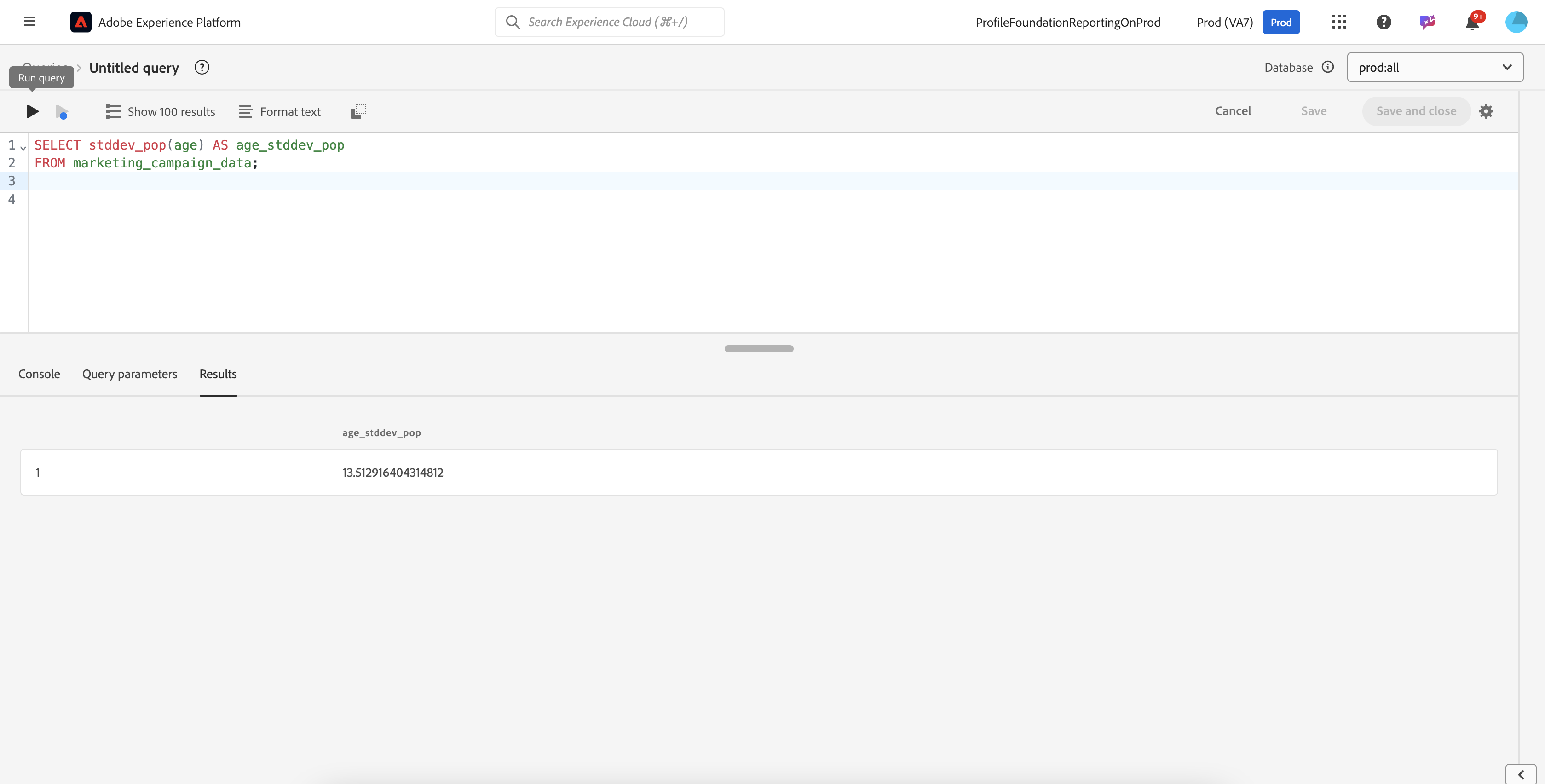
SELECT stddev_pop(age) AS age_stddev_pop
FROM marketing_campaign_data;
```

This gives for age:

<figure><img src="https://1899859430-files.gitbook.io/~/files/v0/b/gitbook-x-prod.appspot.com/o/spaces%2FEhcgqFIfGdE0GXJzi5yR%2Fuploads%2FsdAnKBV8CpZOZMU4ysyF%2FScreen%20Shot%202024-10-21%20at%2010.08.44%20AM.png?alt=media&#x26;token=dd368e1b-f730-47e4-ad89-0e0bea32de40" alt=""><figcaption><p>Results of the above query</p></figcaption></figure>

The results are similar as the dataset has enough data points but you can see differences in the least significant digits.&#x20;

## **Variance (`variance/var_pop/var_samp`)**

The same principles apply to variance as they do for standard deviation, since variance is essentially the square of the standard deviation. **`variance`** is the same a&#x73;**`var_samp.`**&#x54;he formulas and assumptions remain the same as previously explained. In most cases, you will be using **`variance`** (or **`var_samp`**).

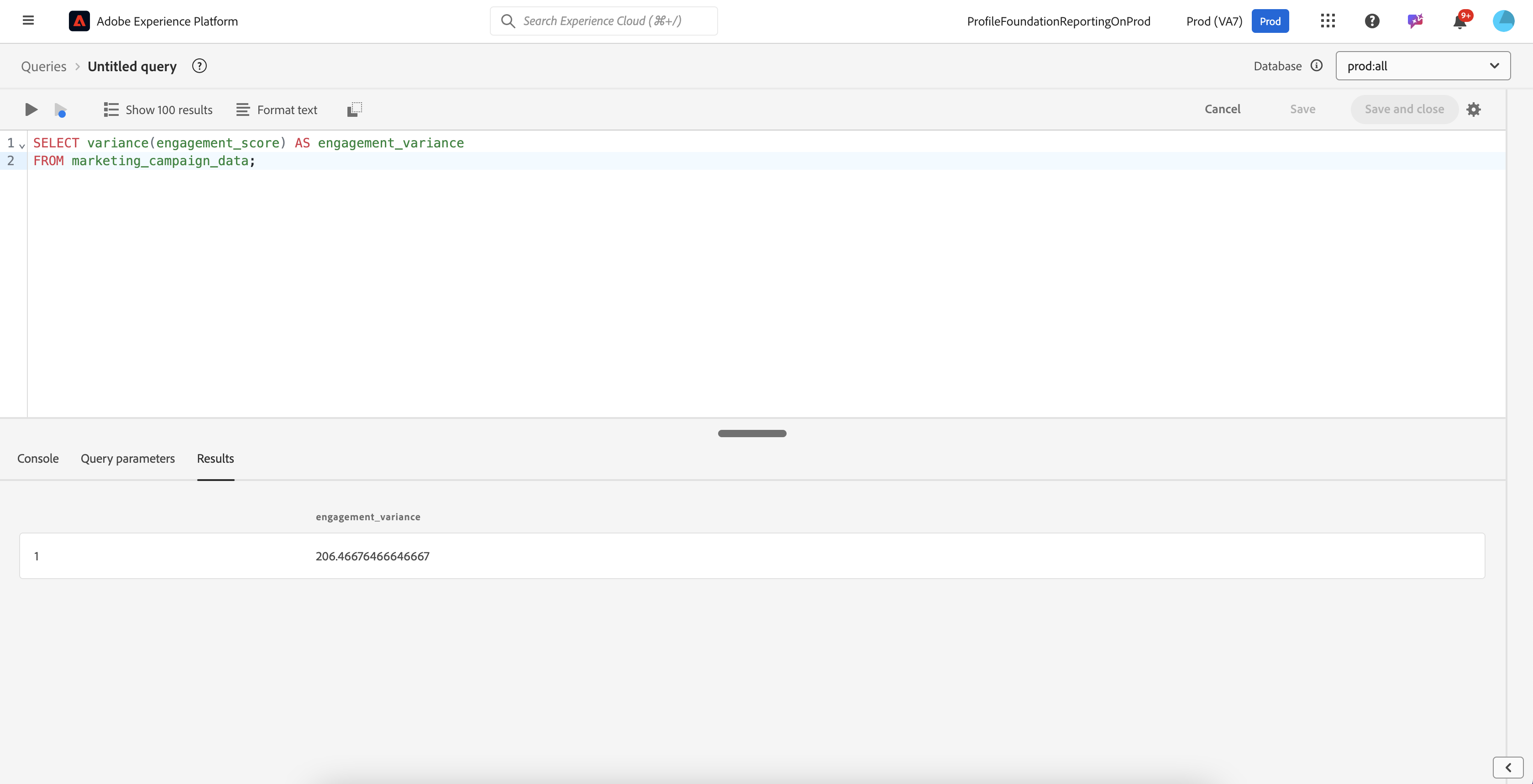
Our use case will be to determine the variance in customer engagement scores to see how consistently customers interact with campaigns.

```sql
SELECT variance(engagement_score) AS engagement_variance
FROM marketing_campaign_data;
```

<figure><img src="https://1899859430-files.gitbook.io/~/files/v0/b/gitbook-x-prod.appspot.com/o/spaces%2FEhcgqFIfGdE0GXJzi5yR%2Fuploads%2FUGb8koxAdkhtfL4F9WD0%2FScreen%20Shot%202024-10-21%20at%2010.30.43%20AM.png?alt=media&#x26;token=d5e41e0a-b30c-42b3-9619-a19ab70e7728" alt=""><figcaption><p>Results of a query</p></figcaption></figure>

## **Median (`median`)**

"Median" refers to the middle value of a dataset when the numbers are arranged in ascending or descending order. It represents the point at which half of the data falls below and half falls above. If the dataset has an odd number of observations, the median is the middle value. If the dataset has an even number of observations, the median is the average of the two middle values.

The median is particularly useful for numerical data, especially when the data is skewed or contains outliers, as it is less affected by extreme values than the mean (average). In contrast to the mode (most frequent value) and the mean, the median provides a measure of central tendency that indicates the midpoint of the dataset.

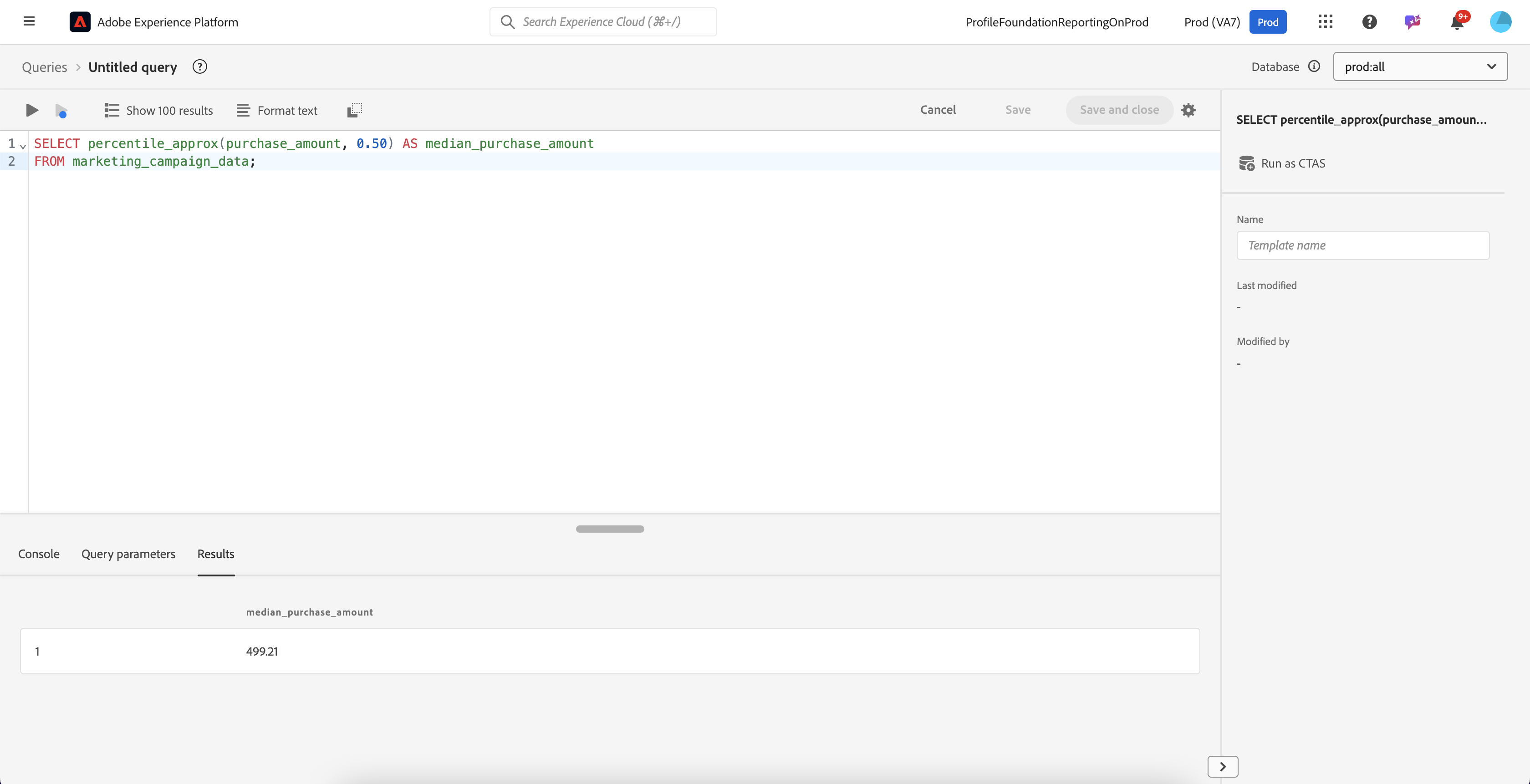
Let us calculate the median purchase amount to understand the central spending tendency of customers.

```sql
SELECT percentile_approx(purchase_amount, 0.50) AS median_purchase_amount
FROM marketing_campaign_data;
```

<figure><img src="https://1899859430-files.gitbook.io/~/files/v0/b/gitbook-x-prod.appspot.com/o/spaces%2FEhcgqFIfGdE0GXJzi5yR%2Fuploads%2FGTJvznlIIAgu1AsiTZGQ%2FScreen%20Shot%202024-10-21%20at%2010.59.00%20AM.png?alt=media&#x26;token=3fd11c2d-77c3-4859-9d92-d9cd584616de" alt=""><figcaption><p>Results of the above query</p></figcaption></figure>

## Mode `(mod)`

"Mod" typically refers to the **mode**, which is the value that appears most frequently in a dataset. It represents the data point or category that occurs with the highest frequency. The mode can be used for both numerical and categorical data. For example, in a dataset of people's favorite ice cream flavors, the mode would be the flavor that the largest number of people prefer. In a numerical dataset, it would be the number that appears most often.

In contrast to the mean (average) and median (middle value), the mode focuses on the most common value in the dataset.

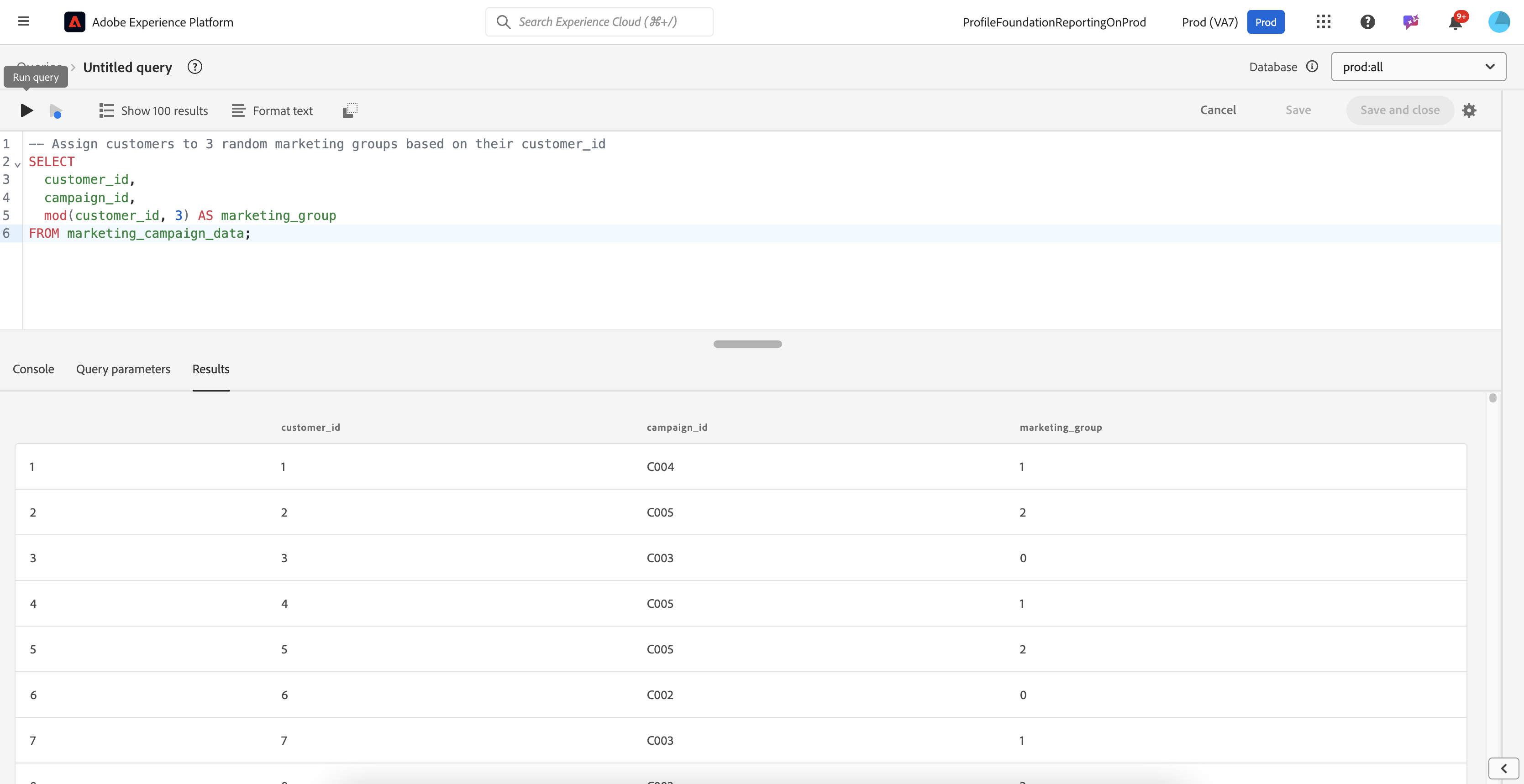
Distribute customers evenly into 3 **random marketing groups** for campaign analysis.

{% code overflow="wrap" %}

```sql
-- Assign customers to 3 random marketing groups based on their customer_id
SELECT 
  customer_id, 
  campaign_id, 
  mod(customer_id, 3) AS marketing_group
FROM marketing_campaign_data;
```

{% endcode %}

<figure><img src="https://1899859430-files.gitbook.io/~/files/v0/b/gitbook-x-prod.appspot.com/o/spaces%2FEhcgqFIfGdE0GXJzi5yR%2Fuploads%2FgkyExNBrikoU9ZMVufCb%2FScreen%20Shot%202024-10-21%20at%2011.00.54%20AM.png?alt=media&#x26;token=6a5bf188-8bff-405d-ae9f-77420ffdb1ac" alt=""><figcaption></figcaption></figure>

## **Correlation (`corr`)**

**Correlation** measures the strength and direction of a linear relationship between two variables. It is expressed as a correlation coefficient, denoted by rrr, which ranges from -1 to 1. A correlation coefficient close to 1 indicates a strong positive linear relationship, meaning that as one variable increases, the other tends to increase as well. Conversely, a correlation coefficient close to -1 suggests a strong negative linear relationship, where an increase in one variable corresponds to a decrease in the other.

When the correlation coefficient is close to 0, it indicates little to no linear relationship between the variables; changes in one variable do not reliably predict changes in the other. Correlation does not imply causation, meaning that even if two variables are correlated, it does not necessarily mean that one variable causes the other to change. Correlation is useful for identifying relationships in data, and it is commonly used in fields like finance, psychology, and social sciences to uncover patterns and make predictions based on observed trends.

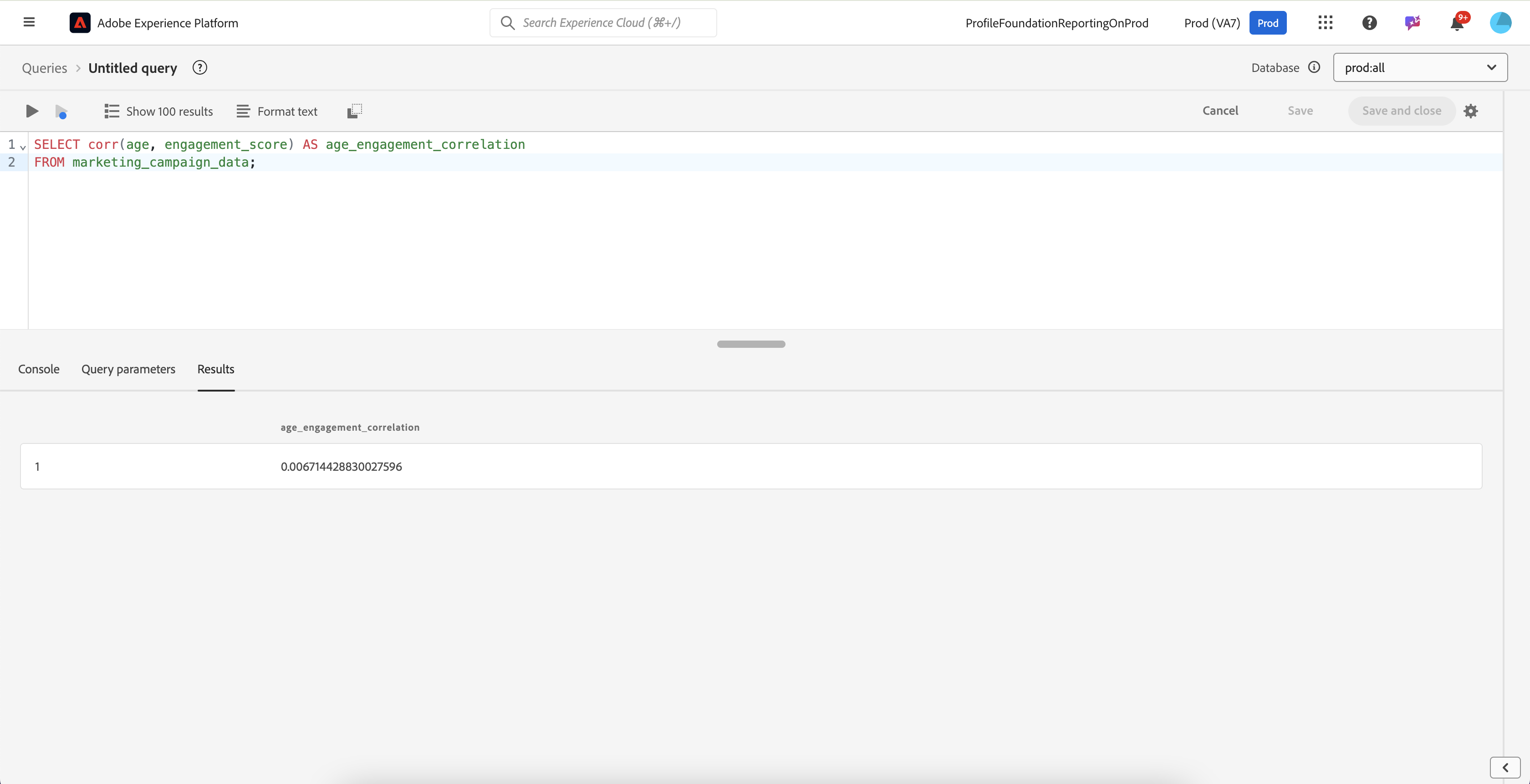
Let us check if there is a correlation between customer age and their engagement score with campaigns.

```sql
SELECT corr(age, engagement_score) AS age_engagement_correlation
FROM marketing_campaign_data;
```

<figure><img src="https://1899859430-files.gitbook.io/~/files/v0/b/gitbook-x-prod.appspot.com/o/spaces%2FEhcgqFIfGdE0GXJzi5yR%2Fuploads%2FRFE5224eOjQJtvKjnMoH%2FScreen%20Shot%202024-10-21%20at%2011.05.01%20AM.png?alt=media&#x26;token=a5cadeaa-63d9-4a7b-bd39-68aec74da854" alt=""><figcaption><p>Results of the query</p></figcaption></figure>

Here is how to interpret the results:

| Correlation Coefficient (r) | Interpretation                | Description                                                                                                   |
| --------------------------- | ----------------------------- | ------------------------------------------------------------------------------------------------------------- |
| -1                          | Perfect Negative Correlation  | There is a perfect inverse linear relationship; as one variable increases, the other decreases.               |
| -1 to -0.7                  | Strong Negative Correlation   | The variables have a strong inverse relationship, with one tending to decrease as the other increases.        |
| -0.7 to -0.3                | Moderate Negative Correlation | There is a moderate inverse relationship, with some predictability in the variables' opposite movements.      |
| -0.3 to 0                   | Weak Negative Correlation     | The relationship is weak, with a slight tendency for the variables to move in opposite directions.            |
| 0                           | No Correlation                | There is no linear relationship; changes in one variable do not predict changes in the other.                 |
| 0 to 0.3                    | Weak Positive Correlation     | There is a weak tendency for both variables to increase together, but the relationship is not strong.         |
| 0.3 to 0.7                  | Moderate Positive Correlation | There is a moderate positive relationship, with some predictability in the variables' simultaneous increases. |
| 0.7 to 1                    | Strong Positive Correlation   | The variables have a strong tendency to increase together in a predictable manner.                            |
| 1                           | Perfect Positive Correlation  | There is a perfect direct linear relationship; as one variable increases, the other increases as well.        |

For our use case, the given result of approximately **`r=0.0067`**, this falls into the "No Correlation" category, indicating that there is essentially no linear relationship between age and engagement score in our dataset.

{% hint style="info" %}
Correlation is more commonly used than covariance because it standardizes the relationship between variables, making comparisons easier. However, covariance is a key component in the calculation of correlation and provides valuable directional insights into how two variables move together.
{% endhint %}

## **Covariance (`covar_pop/covar_samp`)**

**Covariance** measures the degree to which two variables change together. It indicates the direction of the linear relationship between the variables. If the covariance is positive, it means that as one variable increases, the other tends to increase as well, indicating a positive relationship. Conversely, a negative covariance suggests that as one variable increases, the other tends to decrease, indicating an inverse relationship.

The magnitude of the covariance value indicates the strength of the relationship; however, unlike correlation, it does not provide a standardized measure. This means that the actual value of covariance can be difficult to interpret because it depends on the scale of the variables. Covariance is used in various fields, such as finance, where it helps in understanding how different assets move together, which is useful for portfolio diversification. While it indicates the direction of a relationship, it does not measure the strength or causality between the variables.

Covariance becomes a correlation when it is standardized. The correlation coefficient is essentially a scaled version of covariance, which adjusts for the variability (standard deviation) of each variable, making it a unitless measure. This allows for a direct comparison of relationships regardless of the original scales of the variables.

$$
r = \frac{\text{cov}(X, Y)}{\sigma\_X \sigma\_Y}
$$

By dividing the covariance by the product of the standard deviations of **`X`** and **`Y`** variables, you normalize the value, bringing it into the range of -1 to 1.

Let us compute the covariance between purchase amount and engagement score to see if higher engagement leads to higher spending.

Just like the way we used functions for the population and sample, the formulas are the following:

**Population Covariance**

$$
\text{covar\_pop} = \frac{1}{N} \sum\_{i=1}^{N} (X\_i - \mu\_X)(Y\_i - \mu\_Y)
$$

where you have sample means subtracted from each value for both `X` and `Y`&#x20;

**Sample Covariance**

$$
\text{covar\_samp} = \frac{1}{N-1} \sum\_{i=1}^{N} (X\_i - \bar{X})(Y\_i - \bar{Y})
$$

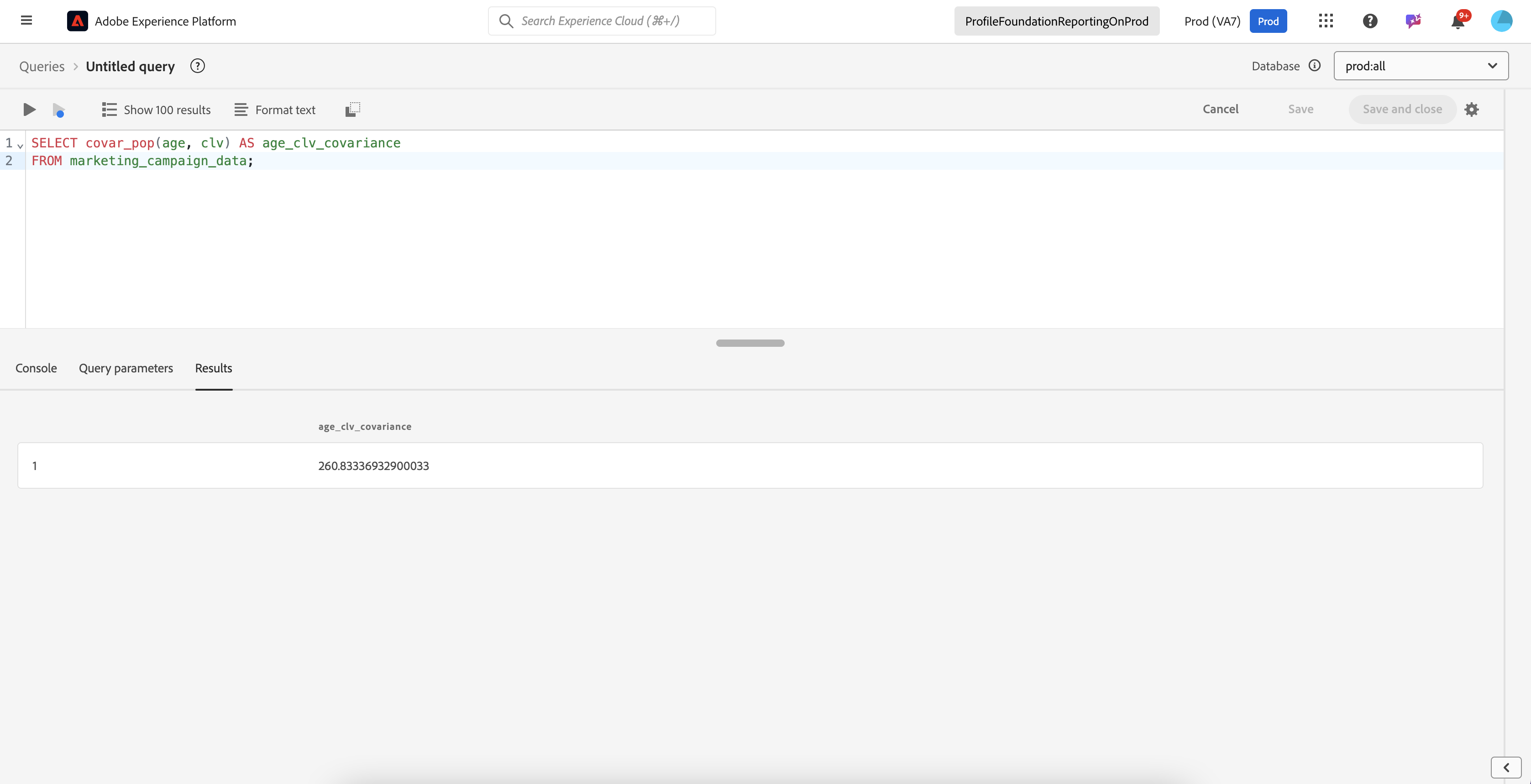
Let us calculate the population covariance between customer age and lifetime value (CLV) to understand if older customers tend to have higher value.

```sql
SELECT covar_pop(age, clv) AS age_clv_covariance
FROM marketing_campaign_data;
```

<figure><img src="https://1899859430-files.gitbook.io/~/files/v0/b/gitbook-x-prod.appspot.com/o/spaces%2FEhcgqFIfGdE0GXJzi5yR%2Fuploads%2FOgvHbqmSii8I7tsgGxbO%2FScreen%20Shot%202024-10-21%20at%2011.15.21%20AM.png?alt=media&#x26;token=6b8c3105-ba41-402e-8c33-5e5848ad0527" alt=""><figcaption><p>Results of the above query</p></figcaption></figure>

<table data-full-width="false"><thead><tr><th>Covariance Value</th><th>Interpretation</th><th>Description</th></tr></thead><tbody><tr><td>Positive Covariance (> 0)</td><td>Positive Relationship</td><td>As one variable increases, the other tends to increase as well. Similarly, as one decreases, the other tends to decrease.</td></tr><tr><td>Negative Covariance (&#x3C; 0)</td><td>Negative Relationship</td><td>As one variable increases, the other tends to decrease, indicating an inverse relationship.</td></tr><tr><td>Zero or Near-Zero Covariance</td><td>No Linear Relationship</td><td>There is no consistent pattern of changes between the two variables. Changes in one do not predict changes in the other.</td></tr></tbody></table>

Remember:

* The magnitude of covariance is influenced by the units of the variables, so the absolute value is not directly indicative of the strength of the relationship.
* Unlike correlation, covariance is not standardized, meaning it is not constrained within a fixed range (such as -1 to 1), making direct comparisons across datasets less meaningful without normalization.

## **Skewness (`skewness`)**

**Skewness** measures the asymmetry of a dataset's distribution. It indicates whether the data points are spread more towards one side of the mean, resulting in a non-symmetric shape. Skewness can be positive, negative, or zero, depending on the direction of the asymmetry:

1. **Positive Skewness (Right-Skewed)**: When skewness is greater than zero, the distribution has a long tail on the right side. This means that there are more values concentrated on the left, with a few larger values stretching the distribution to the right.&#x20;
2. **Negative Skewness (Left-Skewed)**: When skewness is less than zero, the distribution has a long tail on the left side. In this case, more values are concentrated on the right, with a few smaller values stretching the distribution to the left.&#x20;
3. **Zero Skewness (Symmetrical Distribution)**: When skewness is approximately zero, the distribution is symmetric, with data points evenly distributed on both sides of the mean. A perfectly symmetric distribution, such as a normal distribution, has zero skewness.

Skewness helps to identify the extent and direction of deviation from a normal distribution, and it is useful for understanding the nature of the data, particularly in fields like finance, economics, and quality control.

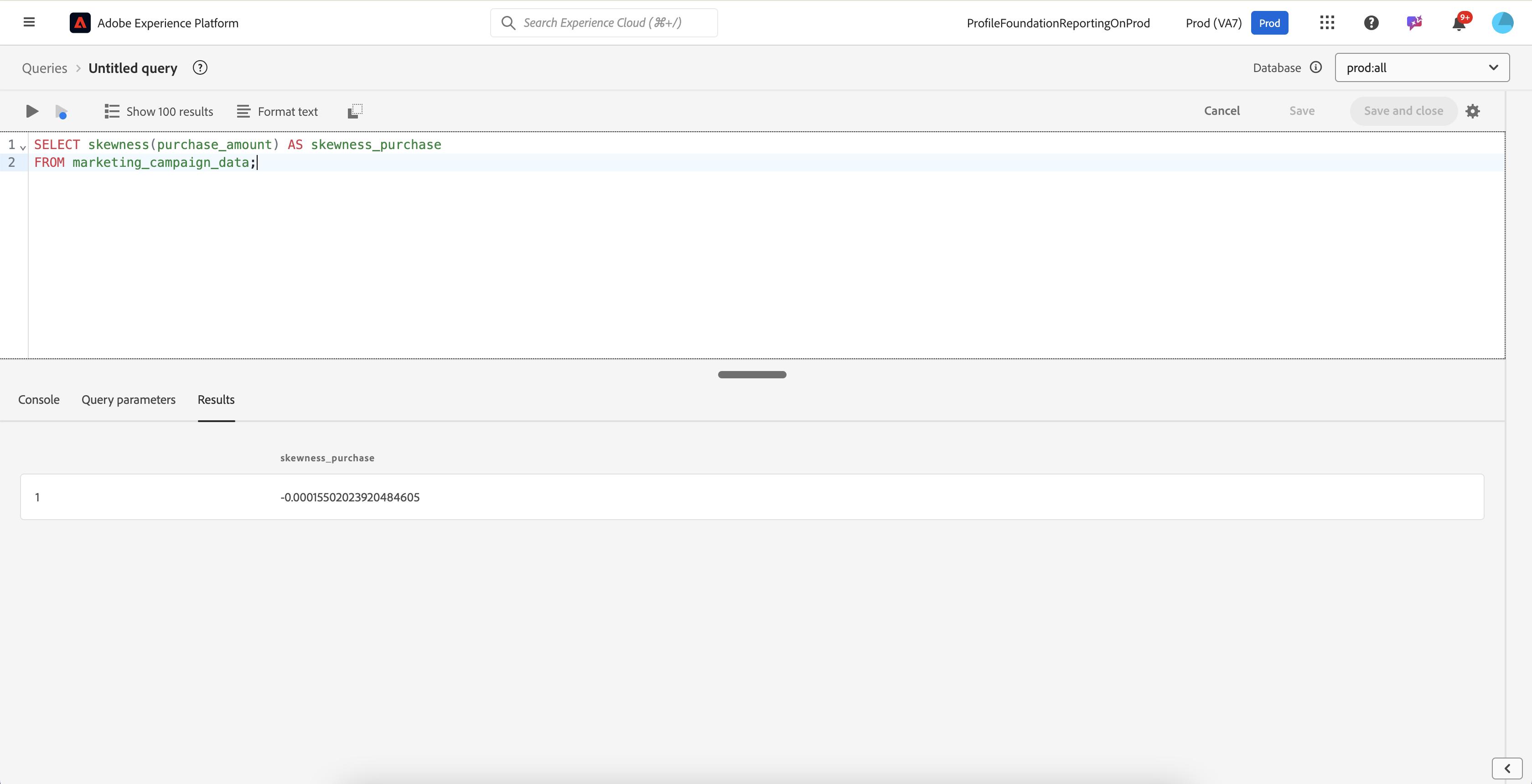
Let us determine if the distribution of purchase amounts is skewed towards lower or higher values.

```sql
SELECT skewness(purchase_amount) AS skewness_purchase
FROM marketing_campaign_data;
```

| Skewness Value          | Description               | Interpretation for purchase\_amount                                                                                                                    |
| ----------------------- | ------------------------- | ------------------------------------------------------------------------------------------------------------------------------------------------------ |
| Positive Skewness (> 0) | Right-Skewed Distribution | The distribution has a long tail on the right, indicating that most customers make smaller purchases, while a few make significantly larger purchases. |
| Negative Skewness (< 0) | Left-Skewed Distribution  | The distribution has a long tail on the left, suggesting that most customers make larger purchases, with a few making much smaller purchases.          |
| Zero Skewness (≈ 0)     | Symmetrical Distribution  | The distribution is symmetric, with purchases evenly spread around the mean, suggesting a balanced number of smaller and larger purchases.             |

The results of the above query are:

<figure><img src="https://1899859430-files.gitbook.io/~/files/v0/b/gitbook-x-prod.appspot.com/o/spaces%2FEhcgqFIfGdE0GXJzi5yR%2Fuploads%2FqvE3yvNCflwczz3DPDfb%2FScreen%20Shot%202024-10-21%20at%2011.37.35%20AM.png?alt=media&#x26;token=4ad4aba2-3f73-43c6-bffa-47b6b1ebb24d" alt=""><figcaption><p>Results of the query</p></figcaption></figure>

The result of the skewness calculation for `purchase_amount` is approximately -0.00015. This value is very close to zero, which indicates that the distribution of `purchase_amount` is nearly symmetric.

## **Kurtosis (`kurtosis`)**

**Kurtosis** measures the "tailedness" or the sharpness of the peak of a dataset's distribution. It indicates how much of the data is concentrated in the tails and the peak compared to a normal distribution. Kurtosis helps to understand the distribution's shape, particularly the presence of outliers.

<table data-full-width="false"><thead><tr><th>Kurtosis Value</th><th>Description</th><th>Interpretation</th></tr></thead><tbody><tr><td>Kurtosis ≈ 3</td><td>Mesokurtic</td><td>The distribution resembles a normal distribution, with a moderate level of peak height and tail weight. In other words, the distribution does not have an unusually high or low number of data points far from the mean.</td></tr><tr><td>Kurtosis > 3</td><td>Leptokurtic</td><td>The distribution has a sharper peak and heavier tails than a normal distribution, indicating more frequent extreme values (outliers).</td></tr><tr><td>Kurtosis &#x3C; 3</td><td>Platykurtic</td><td>The distribution has a flatter peak and lighter tails than a normal distribution, suggesting fewer outliers and a broader spread of data points.</td></tr></tbody></table>

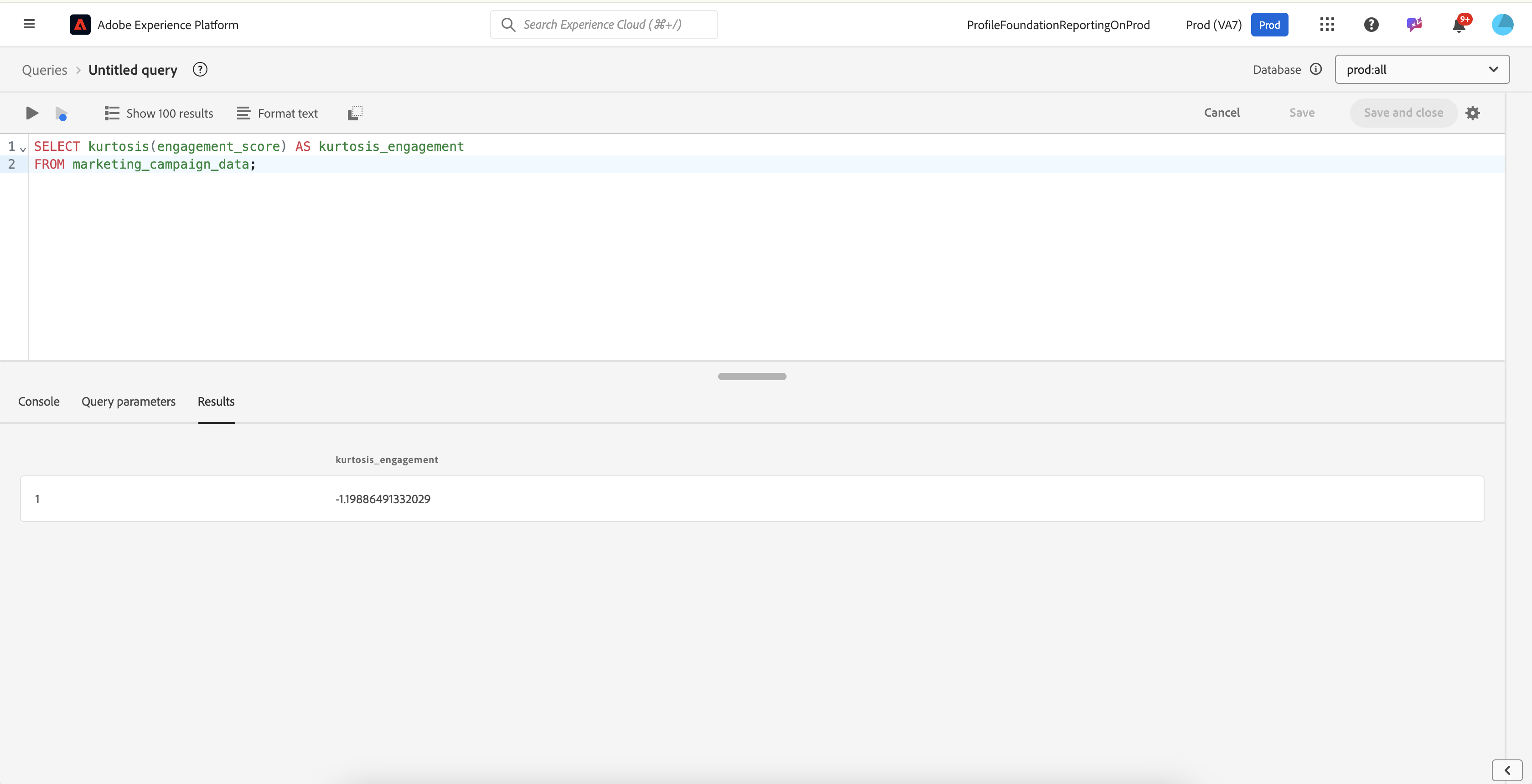
Let us assess the "peakedness" of customer engagement scores to understand if most scores are concentrated around the mean.

```sql
SELECT kurtosis(engagement_score) AS kurtosis_engagement
FROM marketing_campaign_data;
```

<figure><img src="https://1899859430-files.gitbook.io/~/files/v0/b/gitbook-x-prod.appspot.com/o/spaces%2FEhcgqFIfGdE0GXJzi5yR%2Fuploads%2Fsqje92FLNmmPI6EeMWF4%2FScreen%20Shot%202024-10-21%20at%2011.41.01%20AM.png?alt=media&#x26;token=65f4f9d1-7df5-4419-a983-73af2d7d4496" alt=""><figcaption><p>Results of the query</p></figcaption></figure>

The result of the kurtosis calculation for `engagement_score` is approximately -1.1989. This value is less than 3, indicating that the distribution is **platykurtic**. The kurtosis value of -1.1989 suggests that the `engagement_score` distribution has fewer extreme values (outliers) than a normal distribution. The data points are more spread out across the range, with less concentration around the peak.

{% hint style="info" %}
In a normal distribution, the data is symmetrically spread, with most values clustering around the mean, and the frequency of extreme values decreases as you move away from the mean. When a distribution has no significant excess in outliers, it means that the occurrence of data points far from the center is what you would expect based on a normal distribution, with no additional concentration of extreme values in the tails.
{% endhint %}

## **Count (`count`)**

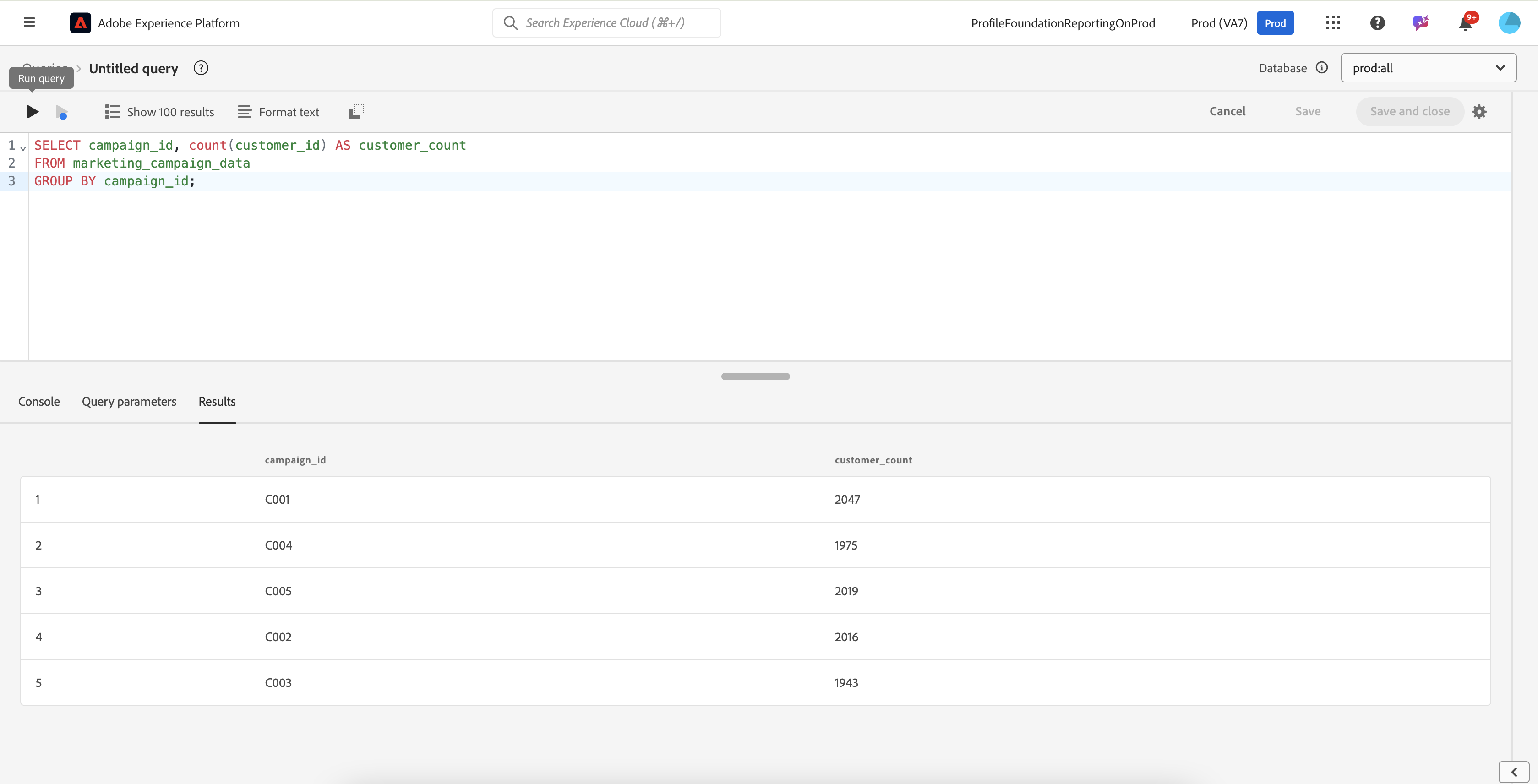
Let us count the number of customers engaged in each marketing campaign to understand campaign reach.

```sql
SELECT campaign_id, count(customer_id) AS customer_count
FROM marketing_campaign_data
GROUP BY campaign_id;
```

<figure><img src="https://1899859430-files.gitbook.io/~/files/v0/b/gitbook-x-prod.appspot.com/o/spaces%2FEhcgqFIfGdE0GXJzi5yR%2Fuploads%2FQZ7NYaPvIeFEv88IYHpb%2FScreen%20Shot%202024-10-21%20at%2011.44.54%20AM.png?alt=media&#x26;token=d18594b1-e812-410e-a920-c4a92b8971e4" alt=""><figcaption><p>Results of the query</p></figcaption></figure>

## **Count If (`count_if`)**

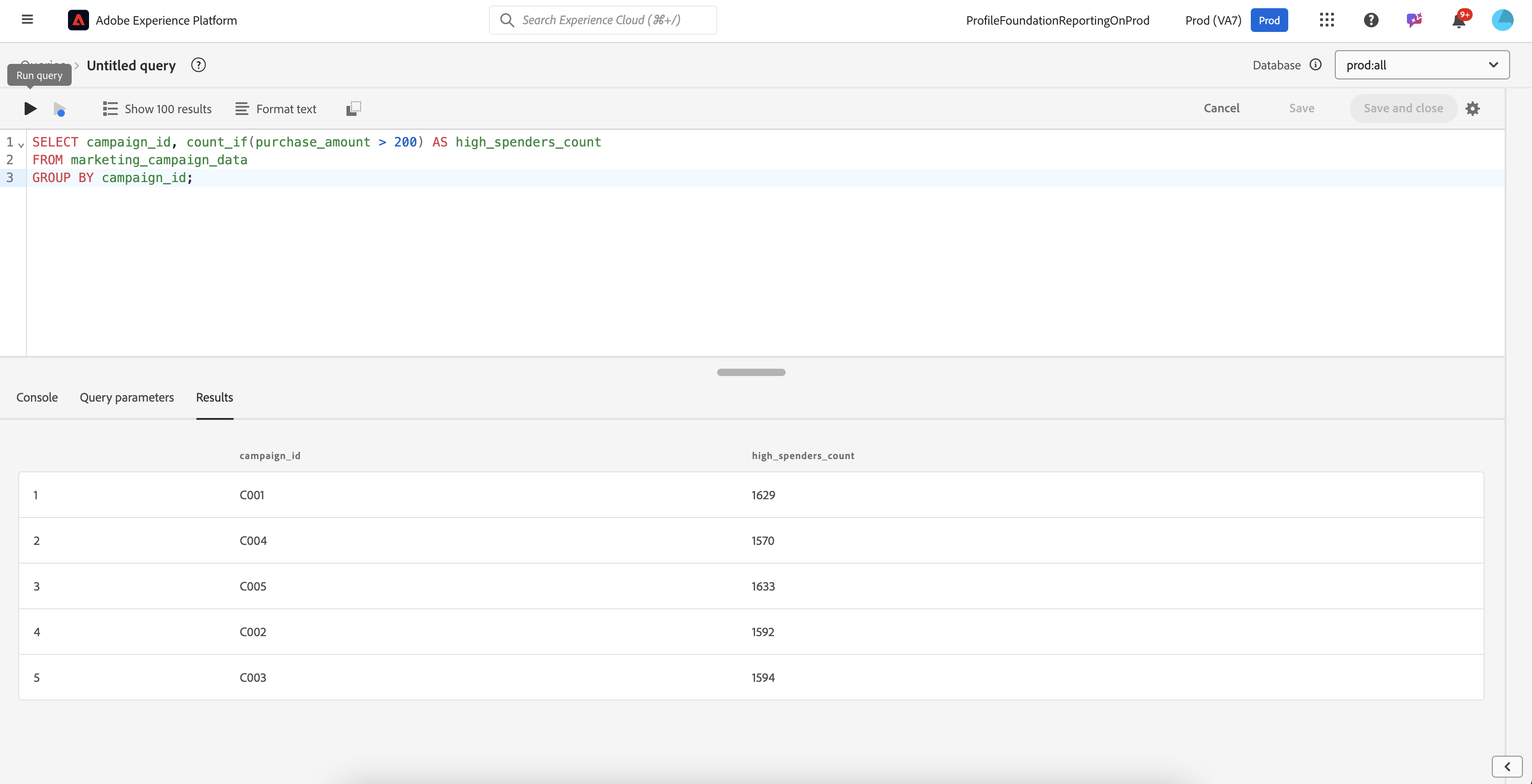
Let us count how many customers have spent more than $200 in each campaign to identify high spenders.

```sql
SELECT campaign_id, count_if(purchase_amount > 200) AS high_spenders_count
FROM marketing_campaign_data
GROUP BY campaign_id;
```

<figure><img src="https://1899859430-files.gitbook.io/~/files/v0/b/gitbook-x-prod.appspot.com/o/spaces%2FEhcgqFIfGdE0GXJzi5yR%2Fuploads%2FCAdRCsg37RcylBv48S52%2FScreen%20Shot%202024-10-21%20at%2011.45.48%20AM.png?alt=media&#x26;token=19c2112c-7d27-472a-a64f-bba572eab15f" alt=""><figcaption><p>Results of the query</p></figcaption></figure>

## **Approximate Count Distinct (`approx_count_distinct`)**

The Approximate Count Distinct (**`approx_count_distinct`**) function offers significant advantages over the traditional Count Distinct (**`count distinct`**) function, especially when working with large datasets. It employs algorithms like HyperLogLog to estimate the number of distinct values, providing a high degree of accuracy while being much faster and more efficient than **`count distinct`**. This speed is achieved because **`approx_count_distinct`** does not need to store and sort all unique values, making it particularly useful in big data environments where datasets may be too large to fit into memory. Additionally, the function consumes less memory by using probabilistic methods, enabling distinct counting on massive datasets without overwhelming system resources. As a result, **`approx_count_distinct`** scales well with increasing data size, making it an ideal choice for distributed computing platforms where performance and scalability are critical.

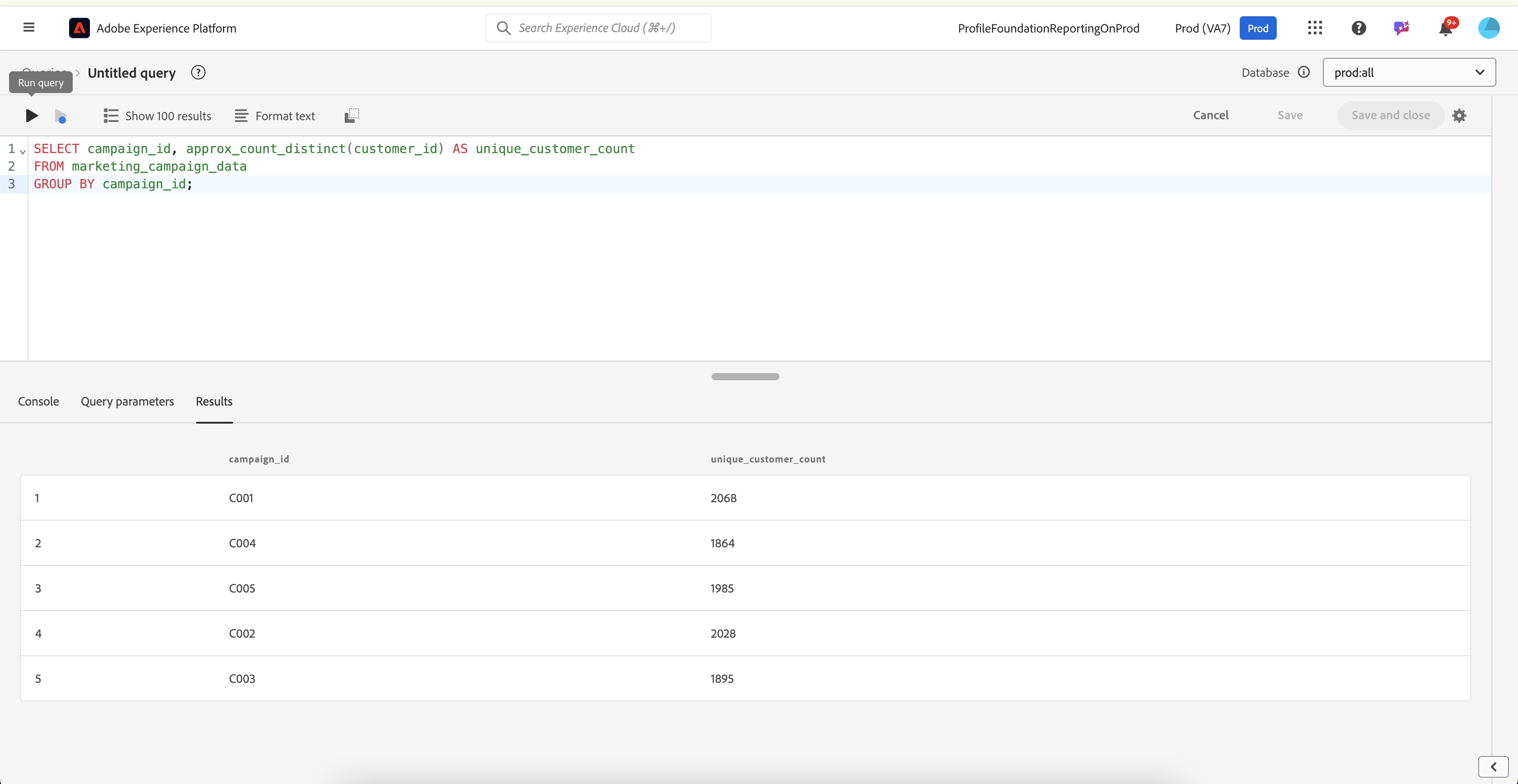
Let us estimate the number of unique customers engaged with a specific marketing campaign.

```sql
SELECT campaign_id, approx_count_distinct(customer_id) AS unique_customer_count
FROM marketing_campaign_data
GROUP BY campaign_id;
```

<figure><img src="https://1899859430-files.gitbook.io/~/files/v0/b/gitbook-x-prod.appspot.com/o/spaces%2FEhcgqFIfGdE0GXJzi5yR%2Fuploads%2FzybbZi2U6Ukfsg9Xechp%2FScreen%20Shot%202024-10-21%20at%2011.46.35%20AM.png?alt=media&#x26;token=1b07e8bc-d21c-44f6-8fe1-599fd5c88b4f" alt=""><figcaption><p>Results of the query</p></figcaption></figure>

## **Generate Random Number from a Uniform Distribution `(rand/random)`**

The **`rand()`** function is a mathematical function used to generate a random floating-point number between 0 (inclusive) and 1 (exclusive) from a uniform distribution. Each time **`rand()`** is called, it produces a different pseudo-random number, simulating randomness. However, because it is based on an algorithm rather than true randomness, the sequence of numbers generated is actually deterministic if the initial starting point (seed) is known.

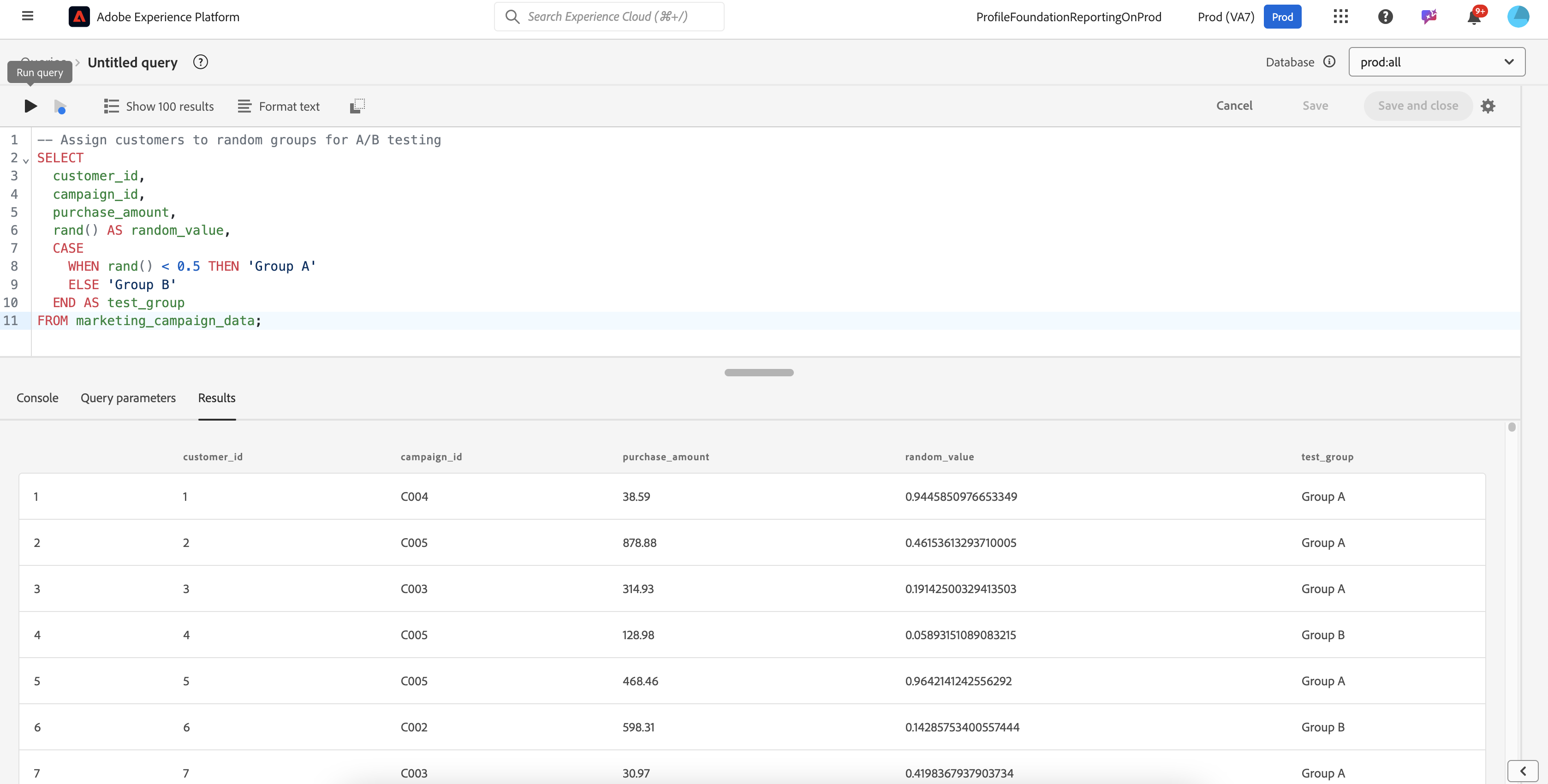
Suppose you want to randomly assign customers to different marketing test groups for A/B testing.

```sql
-- Assign customers to random groups for A/B testing
SELECT
  customer_id,
  campaign_id,
  purchase_amount,
  rand() AS random_value,
  CASE
    WHEN rand() < 0.5 THEN 'Group A'
    ELSE 'Group B'
  END AS test_group
FROM marketing_campaign_data;
```

In this example, customers are assigned randomly to **Group A** or **Group B** based on the random value generated by `rand()`.

<figure><img src="https://1899859430-files.gitbook.io/~/files/v0/b/gitbook-x-prod.appspot.com/o/spaces%2FEhcgqFIfGdE0GXJzi5yR%2Fuploads%2F4Yl5ovxlsTKOxCVJrLpn%2FScreen%20Shot%202024-10-21%20at%2011.51.12%20AM.png?alt=media&#x26;token=0926b1b0-c001-4313-986d-7b16082a7351" alt=""><figcaption><p>Results of the query.</p></figcaption></figure>

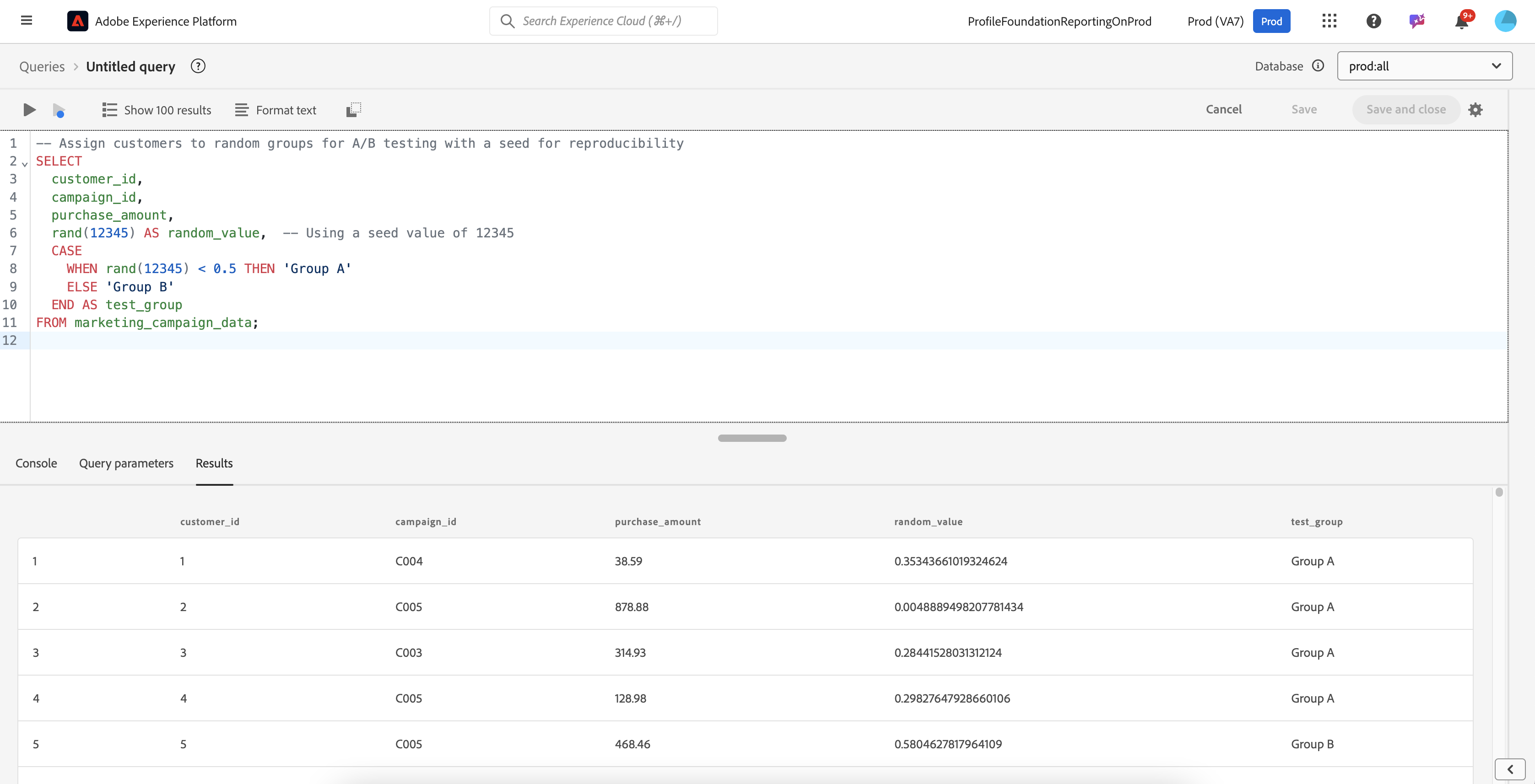
If you want to use a seed for predictability, try this:

```sql
-- Assign customers to random groups for A/B testing with a seed for reproducibility
SELECT
  customer_id,
  campaign_id,
  purchase_amount,
  rand(12345) AS random_value,  -- Using a seed value of 12345
  CASE
    WHEN rand(12345) < 0.5 THEN 'Group A'
    ELSE 'Group B'
  END AS test_group
FROM marketing_campaign_data;
```

<figure><img src="https://1899859430-files.gitbook.io/~/files/v0/b/gitbook-x-prod.appspot.com/o/spaces%2FEhcgqFIfGdE0GXJzi5yR%2Fuploads%2F8W3NRqgzGirJ7oWB3yZD%2FScreen%20Shot%202024-10-21%20at%2012.10.28%20PM.png?alt=media&#x26;token=8e63ac66-b537-46f5-bf1c-e417cfdcf74e" alt=""><figcaption><p>Results of the query</p></figcaption></figure>

{% hint style="info" %}
**`random()`** is the same as **`rand()`**. Both functions generate random numbers uniformly distributed between 0 (inclusive) and 1 (exclusive). They are interchangeable and serve the same purpose for creating random values in this range.
{% endhint %}

## **Generate Random Number from a Normal/Gaussian Distribution (`randn)`**

The **`randn()`** function generates random numbers following a normal (Gaussian) distribution, with a mean of 0 and a standard deviation of 1. Unlike **`rand()`**, the values produced by **`randn()`** are not limited to a specific range and can be any real number, though most values will fall within three standard deviations of the mean. This function is particularly useful for modeling data that follows a bell-curve shape, where most observations cluster around the central value, such as natural phenomena, measurement errors, or financial returns.

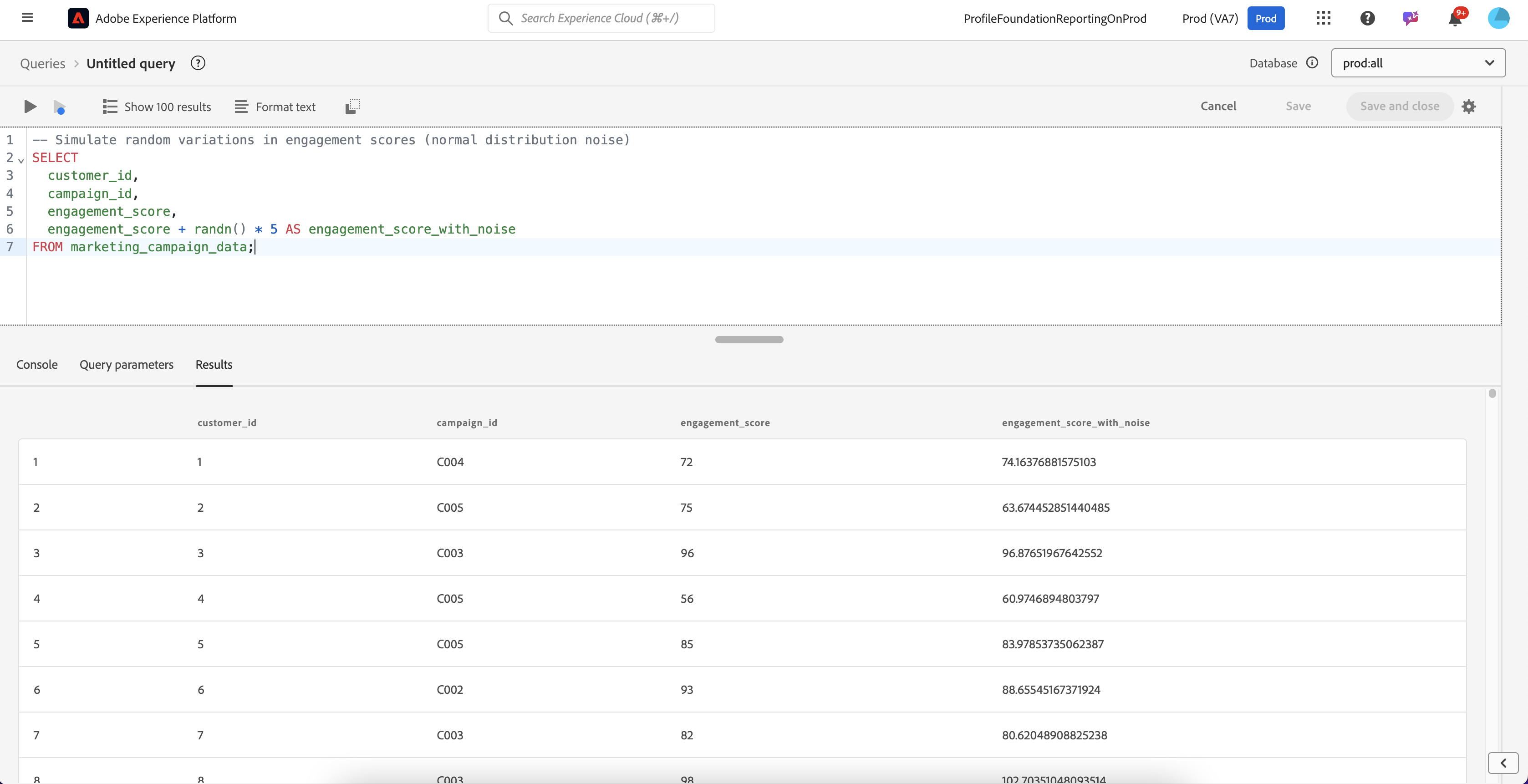
Let us simulate customer engagement scores or create noise in the data to make the model more robust for training.

```sql
-- Simulate random variations in engagement scores (normal distribution noise)
SELECT
  customer_id,
  campaign_id,
  engagement_score,
  engagement_score + randn() * 5 AS engagement_score_with_noise
FROM marketing_campaign_data;
```

In this case, the `randn()` function adds normally distributed noise to the customer engagement scores, simulating potential fluctuations in real-world data.

<figure><img src="https://1899859430-files.gitbook.io/~/files/v0/b/gitbook-x-prod.appspot.com/o/spaces%2FEhcgqFIfGdE0GXJzi5yR%2Fuploads%2Fnoxq6XYyeCyLII1CwTZU%2FScreen%20Shot%202024-10-21%20at%2012.16.44%20PM.png?alt=media&#x26;token=c315ded5-5642-44fb-945a-7183eb2b04db" alt=""><figcaption><p>Results of the query</p></figcaption></figure>

If you want to use a seed for predictability:

{% code overflow="wrap" %}

```sql
-- Simulate random variations in engagement scores (normal distribution noise) with a seed for reproducibility
SELECT
  customer_id,
  campaign_id,
  engagement_score,
  engagement_score + randn(12345) * 5 AS engagement_score_with_noise  -- Using a seed value of 12345
FROM marketing_campaign_data;

```

{% endcode %}

## **Ranking (`rank`)**

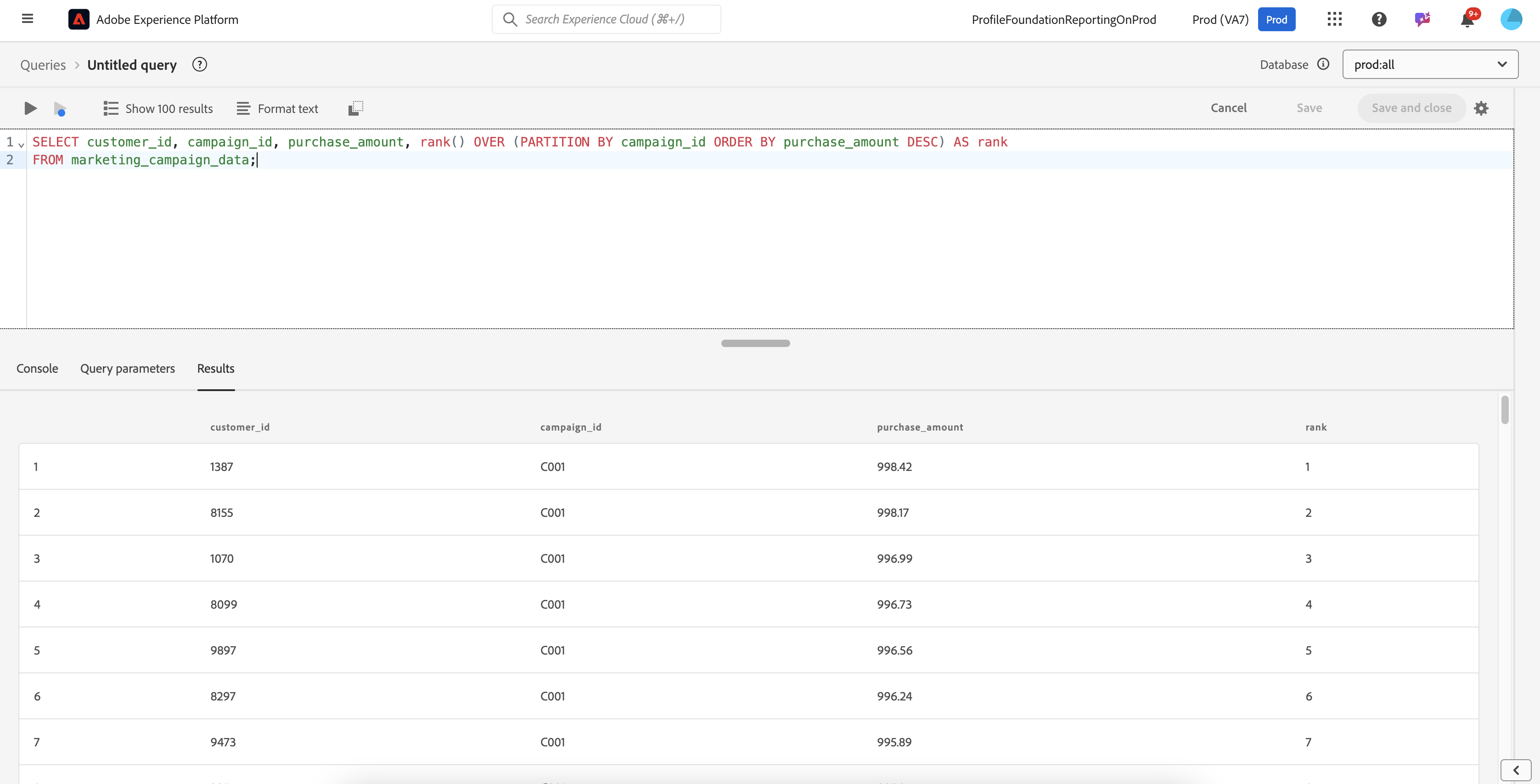
Let us rank customers by their purchase amount within each campaign to identify top spenders.

{% code overflow="wrap" %}

```sql
SELECT customer_id, campaign_id, purchase_amount, rank() OVER (PARTITION BY campaign_id ORDER BY purchase_amount DESC) AS rank
FROM marketing_campaign_data;
```

{% endcode %}

<figure><img src="https://1899859430-files.gitbook.io/~/files/v0/b/gitbook-x-prod.appspot.com/o/spaces%2FEhcgqFIfGdE0GXJzi5yR%2Fuploads%2F5uQR6EgAEKGnWvWlivRB%2FScreen%20Shot%202024-10-21%20at%2012.23.16%20PM.png?alt=media&#x26;token=5b68fda6-fd92-4fa2-822f-251d2f46a0be" alt=""><figcaption><p>Results of the query</p></figcaption></figure>

The query retrieves data from the **`marketing_campaign_data`** table, selecting the **`customer_id`**, **`campaign_id`**, and **`purchase_amount`** columns, along with a calculated `rank`. The **`rank()`** function is used to assign a ranking to each row within each **`campaign_id`** group (using **`PARTITION BY campaign_id`**). The rows are ordered by `purchase_amount` in descending order (**`ORDER BY purchase_amount DESC`**), meaning the highest **`purchase_amount`** within each campaign gets a rank of 1, the second highest gets a rank of 2, and so on. This approach allows for ranking customers based on their purchase amounts within each specific campaign, enabling comparisons and analysis of customer spending behavior across different marketing campaigns.

## **First Rank (`first`)**

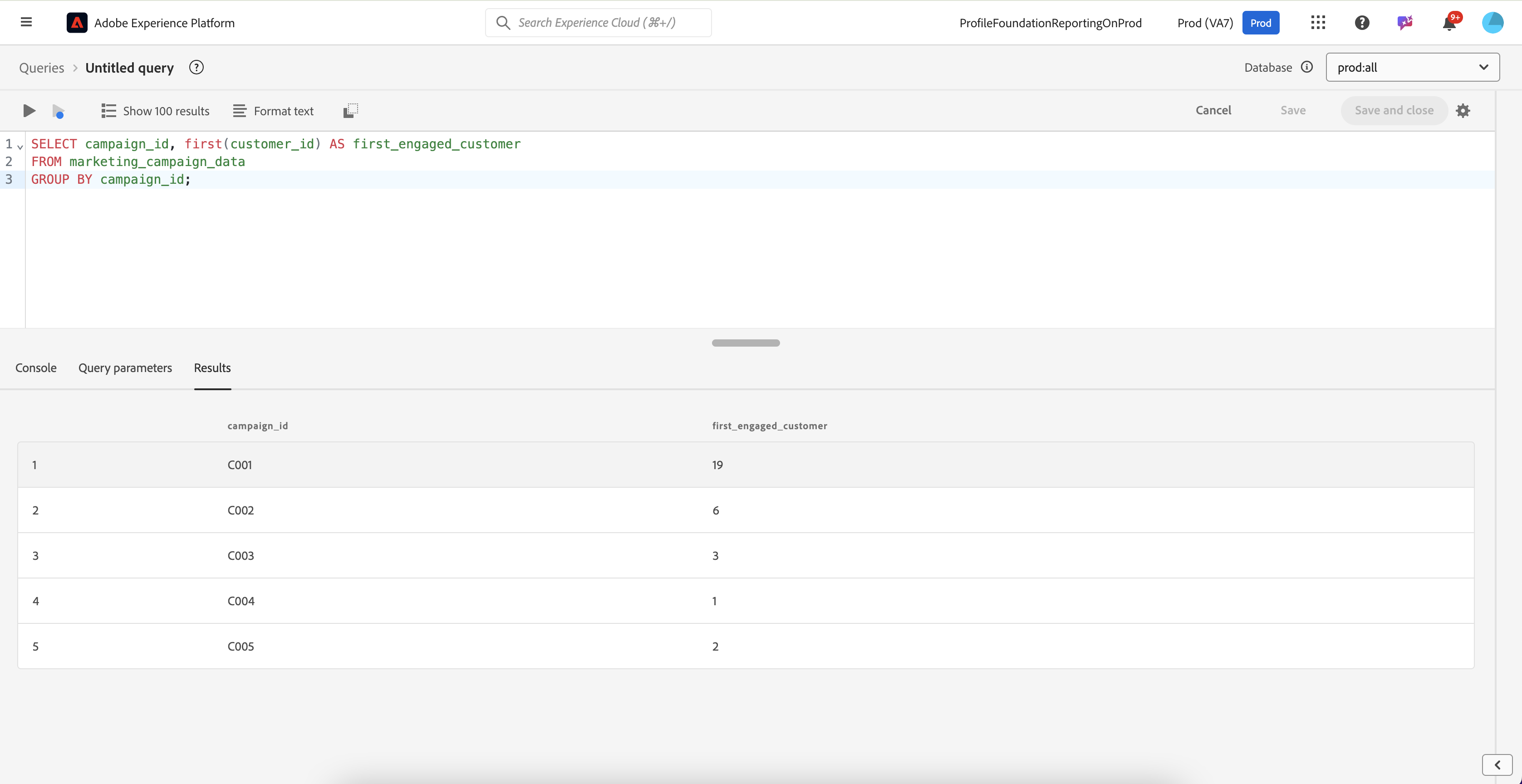
Find the first customer by engagement score in each campaign to track early adopters.

```sql
SELECT campaign_id, first(customer_id) AS first_engaged_customer
FROM marketing_campaign_data
GROUP BY campaign_id;
```

<figure><img src="https://1899859430-files.gitbook.io/~/files/v0/b/gitbook-x-prod.appspot.com/o/spaces%2FEhcgqFIfGdE0GXJzi5yR%2Fuploads%2FM0xeL1fqqcR1SkNOfuNB%2FScreen%20Shot%202024-10-21%20at%201.21.59%20PM.png?alt=media&#x26;token=513a2ac8-f0c6-49bc-80d9-0ebaba0314d7" alt=""><figcaption><p>Results of the query</p></figcaption></figure>

## **Last Rank (`last`)**

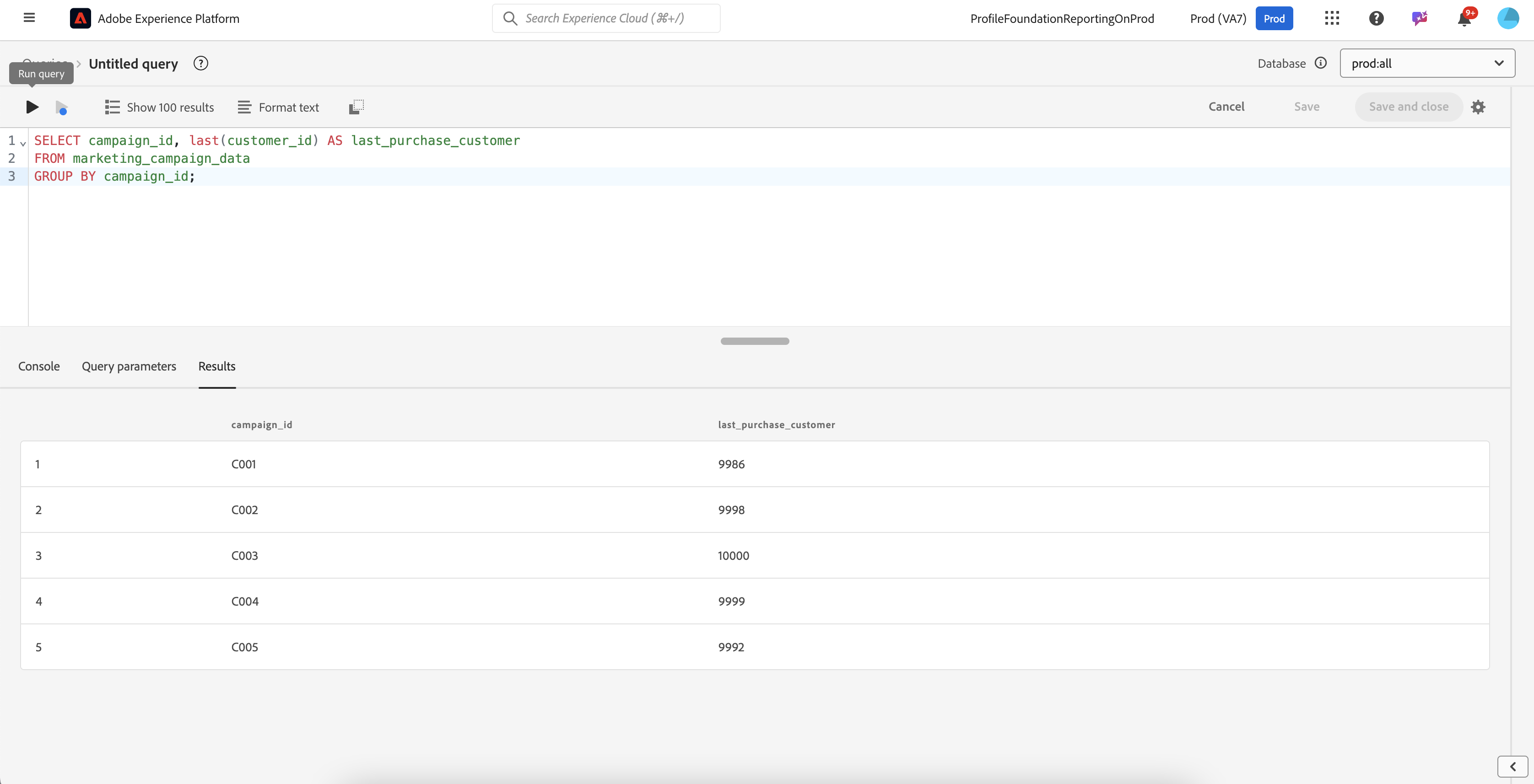
Identify the last customer to make a purchase in each campaign to track lagging engagement.

```sql
SELECT campaign_id, last(customer_id) AS last_purchase_customer
FROM marketing_campaign_data
GROUP BY campaign_id;
```

<figure><img src="https://1899859430-files.gitbook.io/~/files/v0/b/gitbook-x-prod.appspot.com/o/spaces%2FEhcgqFIfGdE0GXJzi5yR%2Fuploads%2F5C9MWcBzkkvJA80pUJDI%2FScreen%20Shot%202024-10-21%20at%201.22.20%20PM.png?alt=media&#x26;token=dcfc8bcd-c06d-4d2f-9e24-f49b2532fa00" alt=""><figcaption><p>Results of the query</p></figcaption></figure>

## **Percent Rank (`percent_rank`)**

Calculate the percent rank of customers based on their purchase amount within each campaign to categorize customer spending.

{% code overflow="wrap" %}

```sql
SELECT customer_id, campaign_id, purchase_amount,
       percent_rank() OVER (PARTITION BY campaign_id ORDER BY purchase_amount) AS purchase_percent_rank
FROM marketing_campaign_data;
```

{% endcode %}

## **Percentile`(percentile or percentile_approx)`**

A **percentile** is a measure that indicates the value below which a given percentage of observations in a dataset falls. For example, the 25th percentile is the value below which 25% of the data points lie, while the 90th percentile is the value below which 90% of the data points fall. Percentiles help in understanding the distribution of data by dividing it into 100 equal parts.

Percentiles are commonly used in data analysis to assess the **relative standing** of individual observations within a dataset. They are particularly useful for identifying outliers, comparing different data sets, or summarizing large amounts of data. In educational testing, for example, if a student's score is in the 85th percentile, it means they scored higher than 85% of the other students. Percentiles provide a way to interpret data in terms of rank and position rather than exact values.

The use of **`percentile/percentile_approx`** are both approximate percentiles and in a query  provides a significant performance advantage, especially when working with large datasets. Unlike exact percentile calculations, both estimate by using algorithms that avoid the need to sort all the data. This approach results in faster execution and lower memory usage, making it highly suitable for big data environments where datasets can be massive. The function also scales efficiently allowing it to handle very large datasets seamlessly. Although it provides an approximate value rather than an exact percentile, the trade-off is often worthwhile for the speed and resource efficiency it offers.

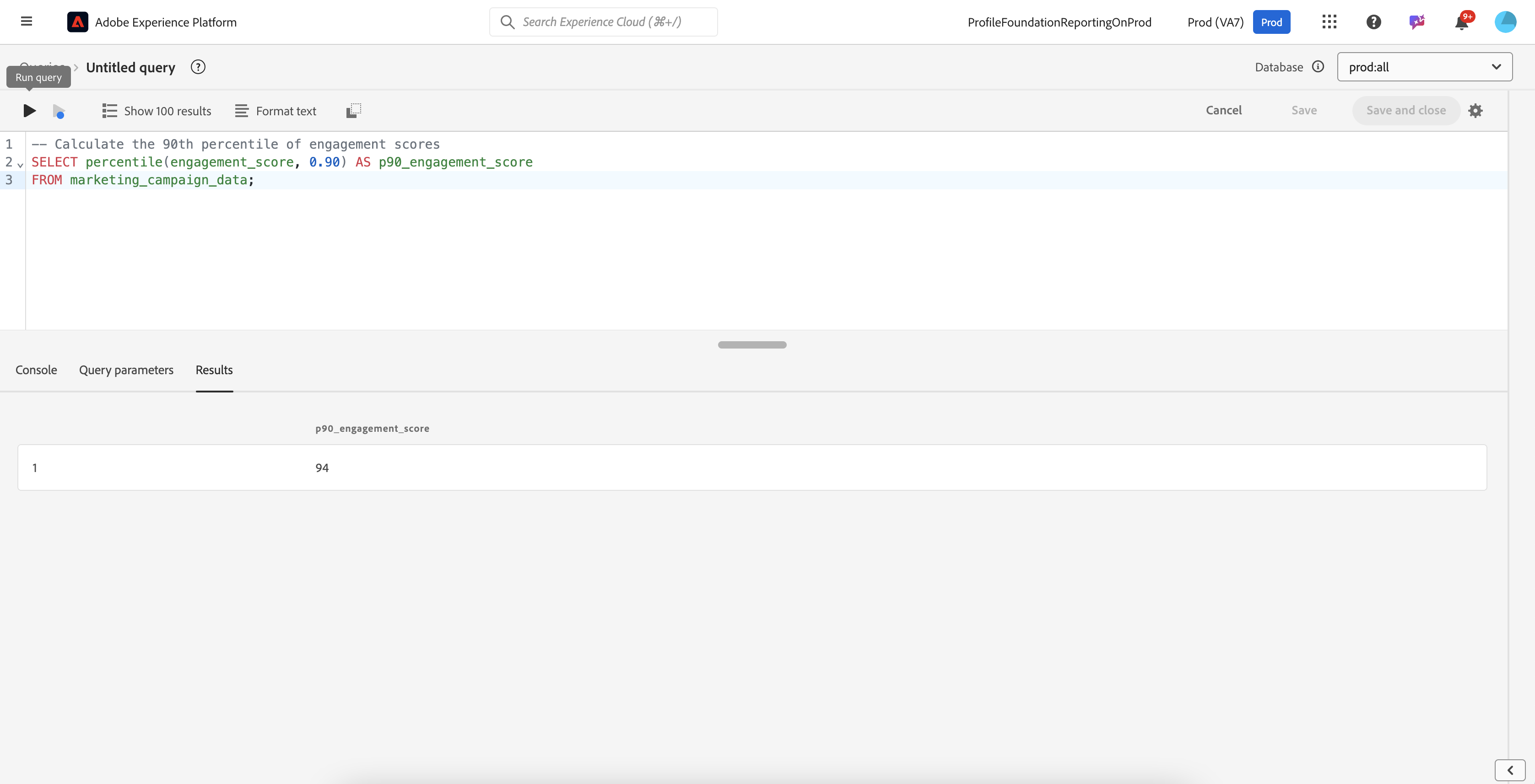
Let us calculate the **90th percentile** of customer **engagement scores** to identify top-performing customers who are highly engaged with a marketing campaign.

```sql
-- Calculate the 90th percentile of engagement scores
SELECT percentile(engagement_score, 0.90) AS p90_engagement_score
FROM marketing_campaign_data;
```

<figure><img src="https://1899859430-files.gitbook.io/~/files/v0/b/gitbook-x-prod.appspot.com/o/spaces%2FEhcgqFIfGdE0GXJzi5yR%2Fuploads%2F713qH2a70iBfDhDqrFsz%2FScreen%20Shot%202024-10-21%20at%201.24.08%20PM.png?alt=media&#x26;token=8b125378-f141-473e-8871-18f450a81b9d" alt=""><figcaption><p>Results of the query</p></figcaption></figure>

#### **Percentile Approximation (`percentile_approx`)**

Let us calculate the approximate 90th percentile of customer CLV to understand high-value customer thresholds.

```sql
SELECT percentile_approx(engagement_score, 0.90) AS p90_clv
FROM marketing_campaign_data;
```

## **Continuous Percentile `(percentile_cont)`**

A **continuous percentile** is a measure used to determine the value below which a certain percentage of the data falls, based on a continuous interpolation of the data points. In cases where the specified percentile does not correspond exactly to a data point in the dataset, the continuous percentile calculates an interpolated value between the two nearest data points. This provides a more precise estimate of the percentile, especially when dealing with small datasets or when the data distribution is not uniform.

For example, if the 75th percentile falls between two data points, the continuous percentile will estimate a value that represents a weighted average between these points, rather than just picking the closest one. This approach gives a more accurate representation of the distribution, as it takes into account the relative positions of data points rather than simply using discrete ranks. Continuous percentiles are often used in statistical analysis to better understand the distribution of data, especially in situations where the exact percentile may lie between observed values.

The **continuous percentile** function calculates the exact percentile value by **interpolating** between the two nearest data points if the specified percentile falls between them. It gives a **precise answer** by determining a value that may not be in the original dataset but represents a point within the ordered range. This function is used when an exact, interpolated percentile value is needed.

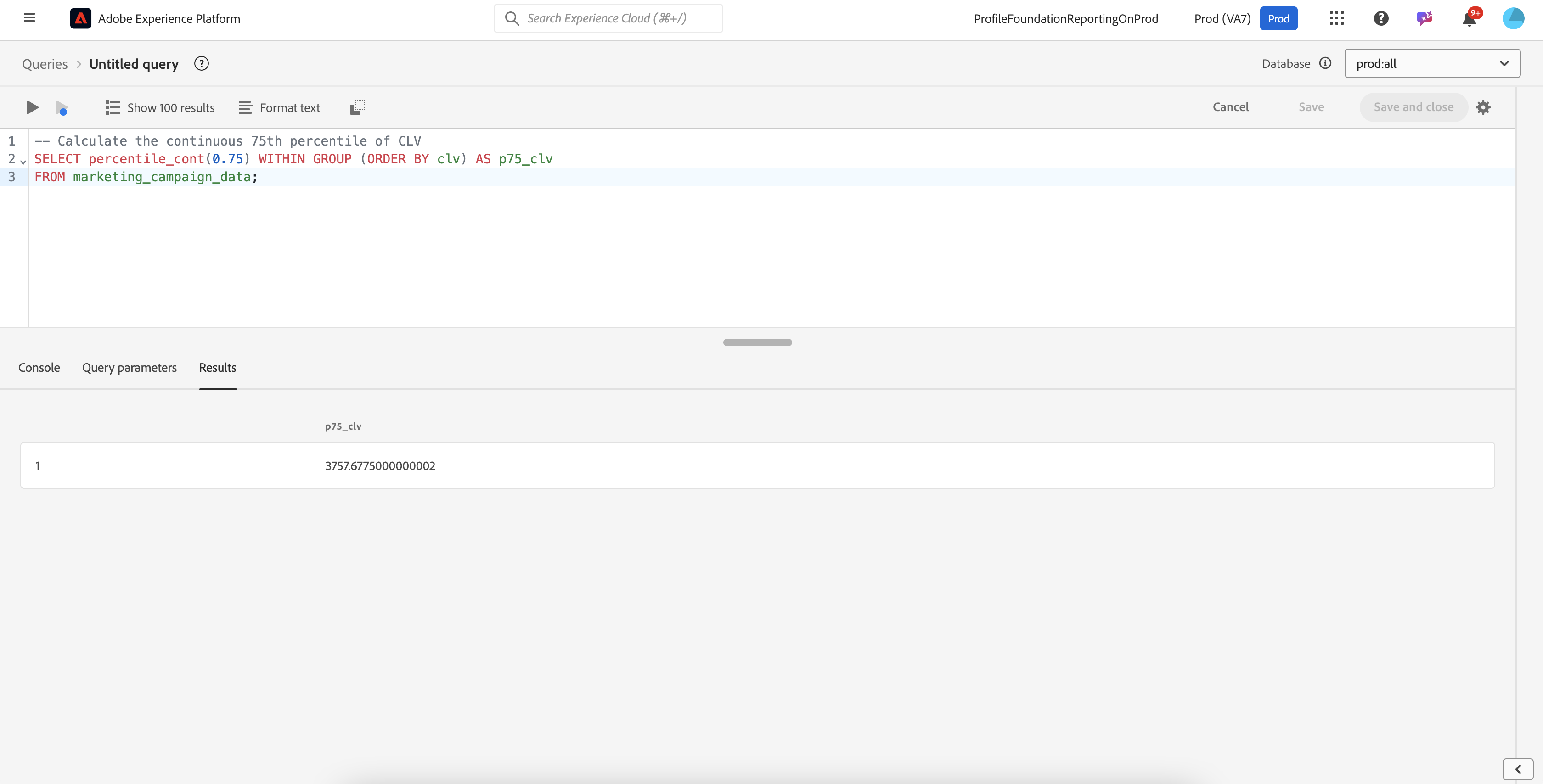
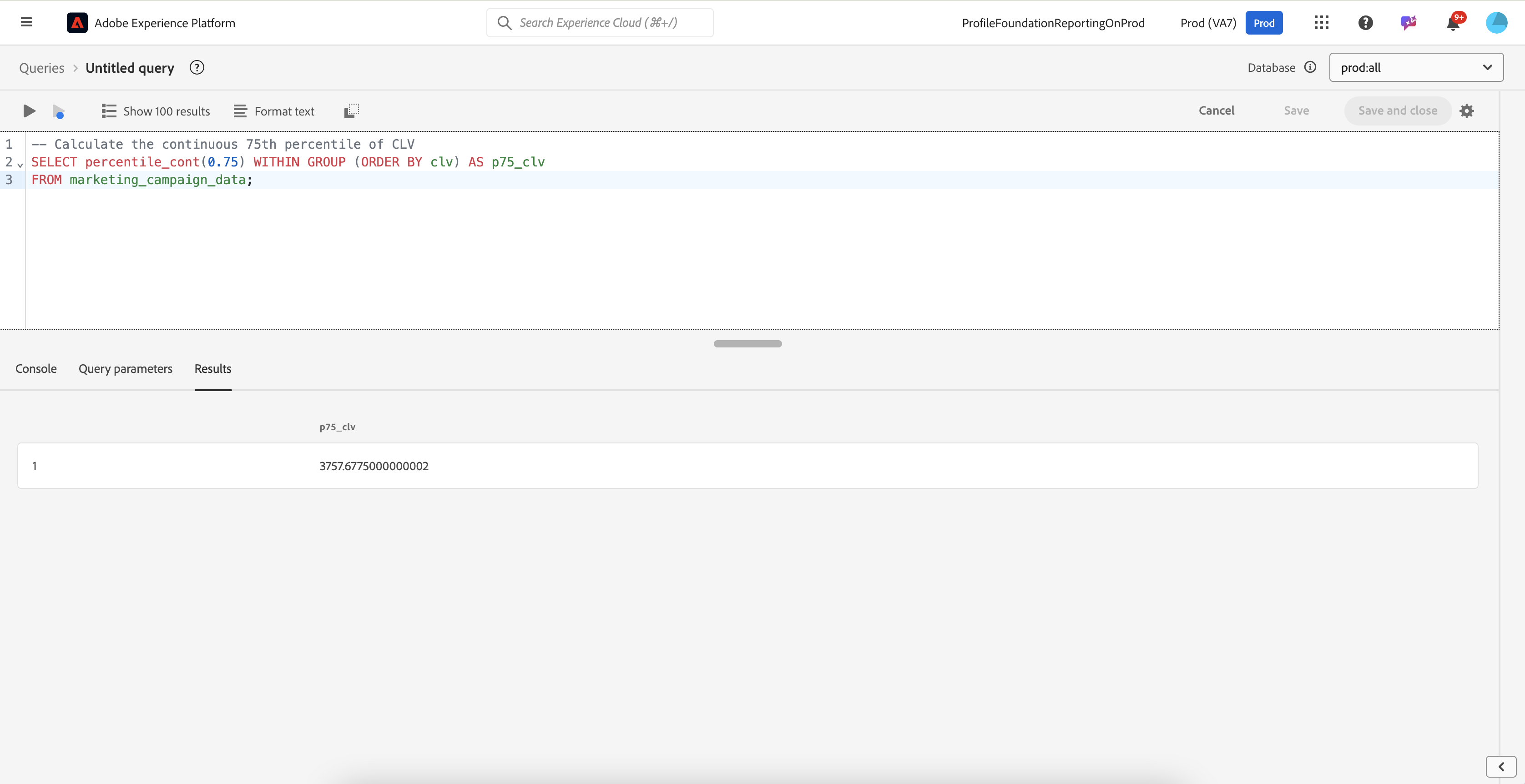
Let us calculate the **75th percentile** of **Customer Lifetime Value (CLV)** to understand the top 25% most valuable customers.

```sql
-- Calculate the continuous 75th percentile of CLV
SELECT percentile_cont(0.75) WITHIN GROUP (ORDER BY clv) AS p75_clv
FROM marketing_campaign_data;
```

<figure><img src="https://1899859430-files.gitbook.io/~/files/v0/b/gitbook-x-prod.appspot.com/o/spaces%2FEhcgqFIfGdE0GXJzi5yR%2Fuploads%2FwrNwg4LQK3jwfDFMSVMw%2FScreen%20Shot%202024-10-21%20at%201.28.00%20PM.png?alt=media&#x26;token=4c475fb0-d3ea-4c16-8490-cf2e4df3dd52" alt=""><figcaption><p>Results of the query.</p></figcaption></figure>

## **Discrete Percentile`(percentile_disc)`**

&#x20;A **discrete percentile** is a measure used to determine the value below which a specified percentage of the data falls, based on actual data points in the dataset. In contrast to a continuous percentile, which interpolates between data points, a discrete percentile selects the closest actual data value that corresponds to the given percentile rank.

For example, if you want to find the 75th percentile in a discrete approach, the function will choose the value at or just above the rank where 75% of the data points lie, without performing any interpolation. This means that the output will always be one of the actual values from the dataset, making it a straightforward representation of the distribution based on the observed data. Discrete percentiles are useful when the goal is to work with specific data values rather than estimated positions, such as in ranking scenarios or when dealing with ordinal data where interpolation might not be meaningful.

The **discrete percentile** function calculates the exact percentile value based on the actual data points, without any interpolation. It selects the closest actual data value corresponding to the specified percentile, ensuring that the result is one of the observed values in the dataset. This function is suitable for cases where only actual data values are meaningful, such as ordinal data.

Let us calculate the **90th percentile** of **engagement scores** to find the actual score that separates the top 10% of most engaged customers.

{% code overflow="wrap" %}

```sql
-- Calculate the discrete 90th percentile of engagement scores
SELECT percentile_disc(0.90) WITHIN GROUP (ORDER BY engagement_score) AS p90_engagement_score
FROM marketing_campaign_data;
```

{% endcode %}

<figure><img src="https://1899859430-files.gitbook.io/~/files/v0/b/gitbook-x-prod.appspot.com/o/spaces%2FEhcgqFIfGdE0GXJzi5yR%2Fuploads%2FoEthseSboOAfDmqq0tgt%2FScreen%20Shot%202024-10-21%20at%201.43.05%20PM.png?alt=media&#x26;token=f9bfa896-a431-41ba-b53a-af8c7c2cf8e4" alt=""><figcaption><p>Results of the query.</p></figcaption></figure>

## **Numeric Histograms (`histogram_numeric)`**&#x20;

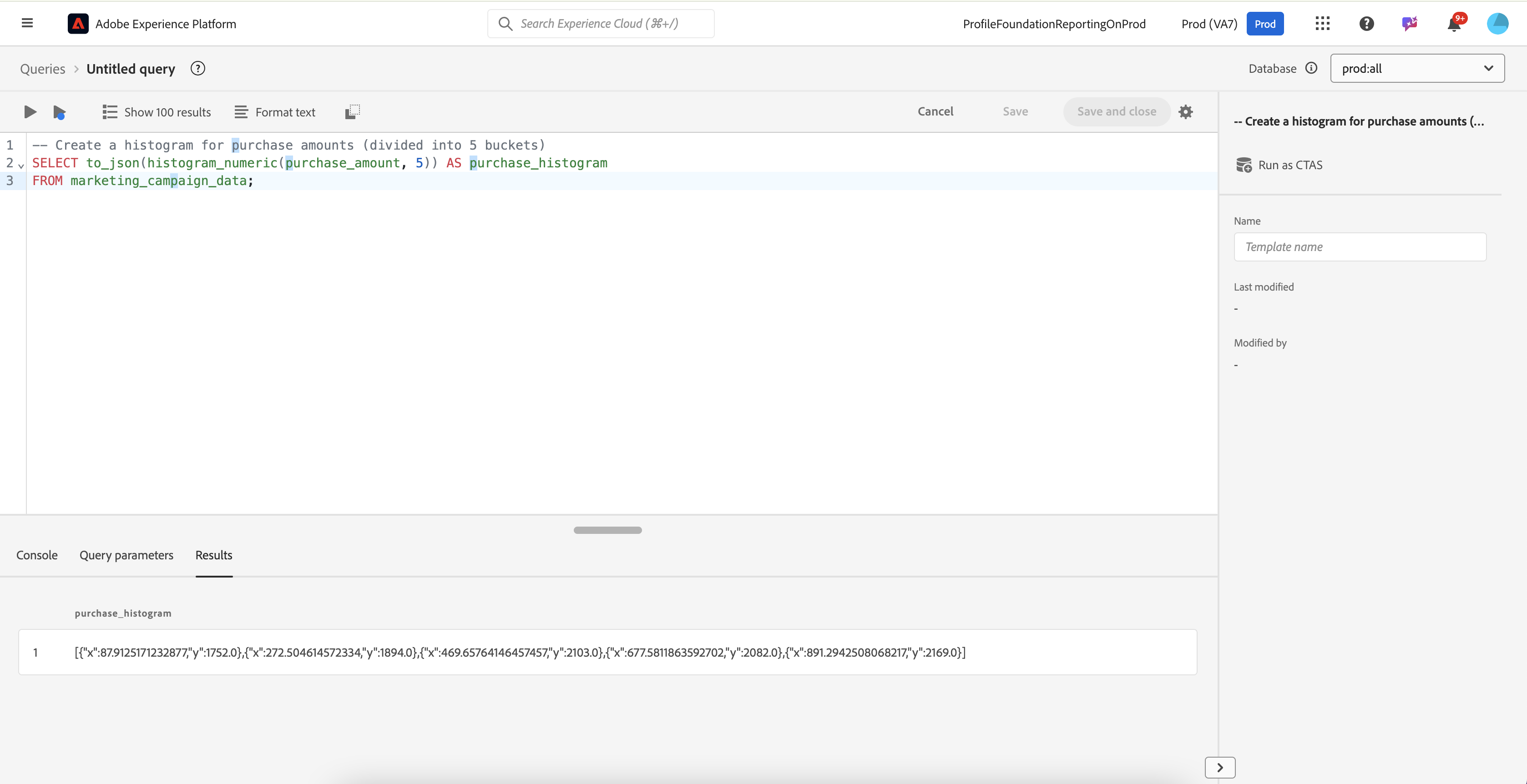
&#x20;Create a histogram of **customer purchase amounts** to analyze spending patterns.

```sql
-- Create a histogram for purchase amounts (divided into 5 buckets)
SELECT to_json(histogram_numeric(purchase_amount, 5)) AS purchase_histogram
FROM marketing_campaign_data;
```

This function would return the distribution of customer purchases across 5 buckets, which can be used to create visualizations or perform further analysis.

<figure><img src="https://1899859430-files.gitbook.io/~/files/v0/b/gitbook-x-prod.appspot.com/o/spaces%2FEhcgqFIfGdE0GXJzi5yR%2Fuploads%2Fj6M5x4yHtBg8CvesXejj%2FScreen%20Shot%202024-10-21%20at%2010.45.39%20AM.png?alt=media&#x26;token=a06f4332-2723-4e9f-8ab1-acdd7511a52a" alt=""><figcaption><p>Results of the above query</p></figcaption></figure>

In the histogram data returned by the query, the `x` and `y` values represent the following:

* **`x` (Bucket Range)**: The midpoint or representative value of each bucket in the histogram. In this case, the purchase amounts have been divided into five buckets, so each `x` value represents the center of a range of purchase amounts.
* **`y` (Frequency)**: The number of occurrences (or count) of purchase amounts that fall within each corresponding bucket. This tells you how many purchase transactions fall within the range represented by the **`x`** value.

So, each data point in the JSON array indicates how many purchases (`y`) are within a specific range of amounts centered around `x`. Together, these values create a histogram showing the distribution of purchase amounts across five intervals.

{% hint style="info" %}
In the above algorithm, the buckets are determined based on the distribution of the data, not just evenly dividing the range of values. This means that if certain ranges of purchase amounts have more data points, the bucket widths may be adjusted to capture the distribution more accurately, resulting in non-equidistant **`x`** values.
{% endhint %}